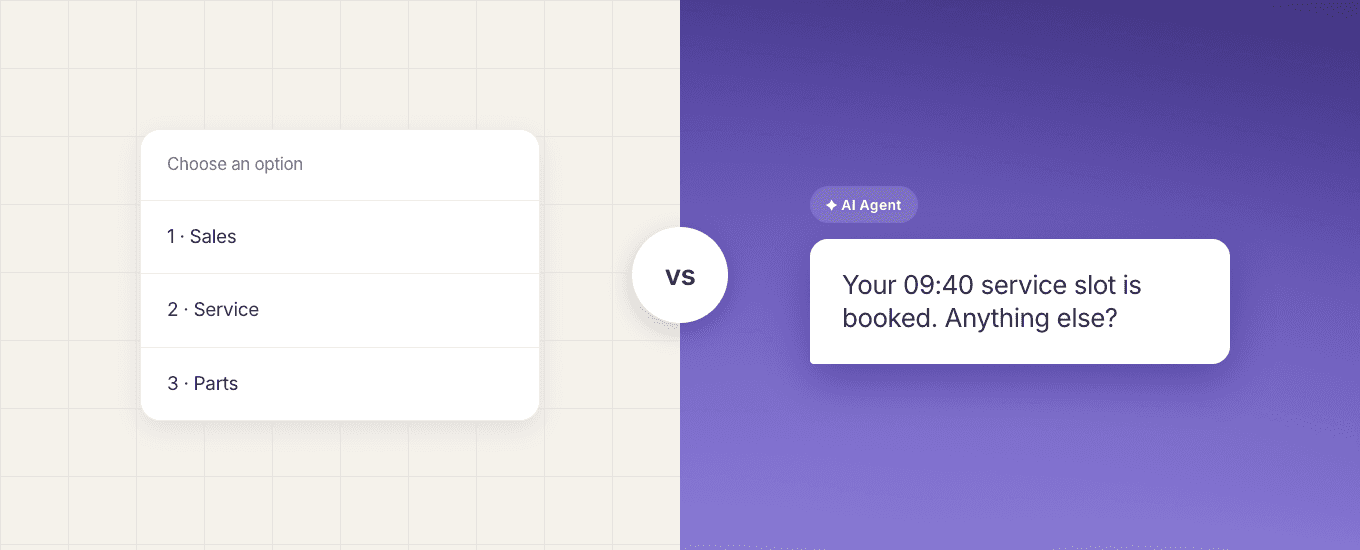
A chatbot follows rules you write in advance. Conversational AI interprets what someone actually said, including phrasing nobody anticipated. An AI agent goes further again and completes a task rather than only replying. For a customer service team, the difference decides what you can safely hand over to automation, what each option costs to maintain, and how each one fails.
If you are looking at automation for a customer service team, you will hear all three of these terms used to describe what sounds like the same thing: software that answers customers so people don't have to. Vendors are not being deliberately unhelpful. The categories really do overlap, and the labels have drifted as the technology has moved.
They are not the same thing, though, and buying the wrong one is expensive. The three sit at different price points, need different amounts of maintenance, and fail in different ways. The cost usually shows up somewhere you weren't watching: customers repeating themselves, and a queue that never gets shorter.
The short answer: three technologies, three jobs
Chatbot | Conversational AI | AI agent | |
|---|---|---|---|
How it works | Pre-set rules, menus and decision branches | Language understanding, drawing on content or data | Language understanding plus the ability to act |
What it handles well | Predictable, high-volume questions with a known answer | Varied phrasing, unclear questions, follow-ups | Multi-step requests that end in something changing |
Where it fails | Anything outside the script | Anything needing live data it can't reach | Anything without permissions, guardrails and audit |
Typical job | Opening hours, tracking menus, triage | Policy and product questions, first-line support | Booking, updating a record, processing a return |
Maintenance | Editing paths by hand | Keeping source content current | Content, permissions and action design |
Most teams don't need all three. Plenty of service operations run well on a chatbot for triage plus conversational AI for questions, with people handling the rest.
What is a chatbot?
A chatbot is automation that follows a path someone designed in advance. A customer picks from a menu, or types something matching a keyword, and the bot responds with the answer mapped to that branch.
That predictability is the point. If you know the ten questions your team answers most, a chatbot handles them identically every time, and you can see exactly why it said what it said. Nothing is inferred.
The limit is equally clear. A chatbot only knows the paths it was given. Ask it something slightly sideways and it either loops, offers an unhelpful menu, or hands over. Every new scenario means a person editing the flow.
Cue chatbots are built visually, so paths, questions and branches are laid out rather than coded. That matters less for capability than for who can maintain them. A service manager can adjust a path without waiting on a developer.
What is conversational AI?
Conversational AI interprets natural language rather than matching it. Someone can ask about a refund in a way nobody scripted, and it still recognises what they want.
In customer service this usually means answering from a body of approved content: help articles, policy documents, product pages. The system finds the relevant material and composes a reply. It can ask a clarifying question when a request is ambiguous, and try more than once before giving up.
The dependency is content. Conversational AI is only as accurate as the material behind it. If your returns policy changed in March and the source document still says January, it will confidently tell customers the wrong thing, and sound more convincing doing so than a chatbot would.
Cue AI Agents work this way. They answer from your website pages and uploaded documents, clarify where a question is unclear, and return the conversation to the flow with a reason: the customer asked for a person, the question couldn't be resolved, or something went wrong. Payflex, a South African buy-now-pay-later provider, resolves 82% of customer queries this way with Cue's AI on its digital channels.
What is an AI agent?
An AI agent uses language understanding to do something. Not just tell a customer their options, but change an appointment. Not just explain the returns process, but start the return.
That requires connections a conversational system doesn't need: access to the systems holding the data, permission to write to them, and a record of what it did. The interesting engineering problem isn't the conversation. It's what happens when the agent gets it wrong on step three of five.
Why "AI agent" doesn't always mean the same thing
This is where buying goes wrong. The term covers at least three different products.
Some vendors use "AI agent" for what this article calls conversational AI: answering well from knowledge, with no actions. Others mean real tool use, where the system calls APIs and completes transactions. Others mean a copilot sitting beside a human agent, drafting replies for a person to send.
All three get demonstrated as "AI agents". Only one of them will change a customer's booking.
Ask directly: what can it change without a human approving it? Then ask to watch that happen against a real record, not a sandbox.
Cue AI Agents answer questions. They don't take actions on your systems, so they can't check an order status, update a customer's details or process a payment. Where a Cue journey needs live data or a record updated, that's built as a step in the surrounding chatbot flow, with defined credentials and error handling. It's a deliberate boundary rather than a gap: the flow is auditable, and you know exactly what touched your data.
The differences that actually affect customer service
Handling questions nobody anticipated
Roughly speaking, this is the whole distinction. A chatbot handles the questions you predicted. Conversational AI handles variations on them. Neither handles a question whose answer doesn't exist anywhere in your content.
Before choosing, look at a week of real conversations and sort them: answered from existing material, needed a person to find something, needed a person to decide something. The first group is automatable now. The third probably never will be.
Escalation and handover
All three eventually reach a person. What separates them is how much the customer has to repeat.
A chatbot typically passes over a menu path. Conversational AI can pass the full exchange plus a reason it stopped. An AI agent should also pass what it already did, otherwise the human undoes work or repeats it.
Salesforce research in 2024 found that nearly 75% of people want to know when they are speaking to AI, and 45% are more likely to use it when escalation to a person is clearly available. Handover isn't the failure state. It's most of the job, and saying so plainly makes customers more willing to try the automation in the first place.
Cost and maintenance
Chatbots cost time. Someone edits paths as products, policies and edge cases change, and that work never finishes.
Conversational AI shifts the work to content. Cheaper to scale, and it fails quietly. Nobody notices a stale document until a customer complains.
AI agents add a third burden: permissions, approvals and audit. That's a governance job, not a marketing one, and it's the reason most teams shouldn't start there.
Which one does your team need?
If your situation is | Start with | Because |
|---|---|---|
High volume, small set of repeated questions | Chatbot | Predictable, cheap, easy to audit |
Customers ask the same things many different ways | Conversational AI | Handles phrasing you can't script |
Good help content already exists | Conversational AI | The expensive part is already done |
Requests end in a system change | AI agent, carefully | Nothing else completes the task |
No maintained help content | Neither yet | Fix the content first. Both depend on it |
Regulated or high-stakes decisions | People, with automation for triage | The cost of a confident wrong answer is too high |
See what a chatbot and an AI agent actually do
Cue runs both on WhatsApp, email, web chat and Messenger, in one inbox with phone calls, with unlimited seats.
Explore AI agents · Or see how Cue chatbots work
What goes wrong when teams choose the wrong one
Two failure patterns come up repeatedly.
The first is buying a chatbot expecting conversational handling. Customers phrase things unpredictably, the bot loops, and the team ends up staffing an escape hatch. Contact volume doesn't drop. Satisfaction does.
The second is buying conversational AI on top of content nobody maintains. It answers confidently and inaccurately, which is worse than not answering. A customer who gets no answer asks a person. A customer who gets a wrong answer acts on it.
Gartner found in 2024 that only 14% of service issues are fully resolved in self-service, rising to 36% for issues customers themselves rate as very simple. The gap between those two numbers is mostly design and content, not technology.
Both failures look like an AI problem in the reporting. Neither is. This is why it's worth agreeing how you'll measure automated customer service before you buy any of it.
How chatbots, conversational AI and AI agents work together
These aren't competing choices. In practice they layer.
A chatbot triages and captures details. Conversational AI handles the questions with existing answers. A person takes the rest, with everything already gathered. Add agent-style actions later, once you know which requests are frequent and safe enough to automate end to end.
Most teams start with the chatbot layer, and our guide to implementing an AI chatbot for customer service covers that sequencing in more detail.
A Gartner survey of 321 customer service and support leaders in October 2025 found that 20% had reduced agent staffing because of AI, while 55% kept staffing stable and handled higher volumes instead. That matches what the layering implies: for most teams automation absorbs the repetitive volume, and people handle the work that was always the difficult part.
See where automation fits in your queue
The fastest way to decide which of these your team needs is to see them working on real conversations rather than in a feature list. Book a demo and we'll show you where automation fits in your queue and where it shouldn't, or read more about Cue for customer service teams.