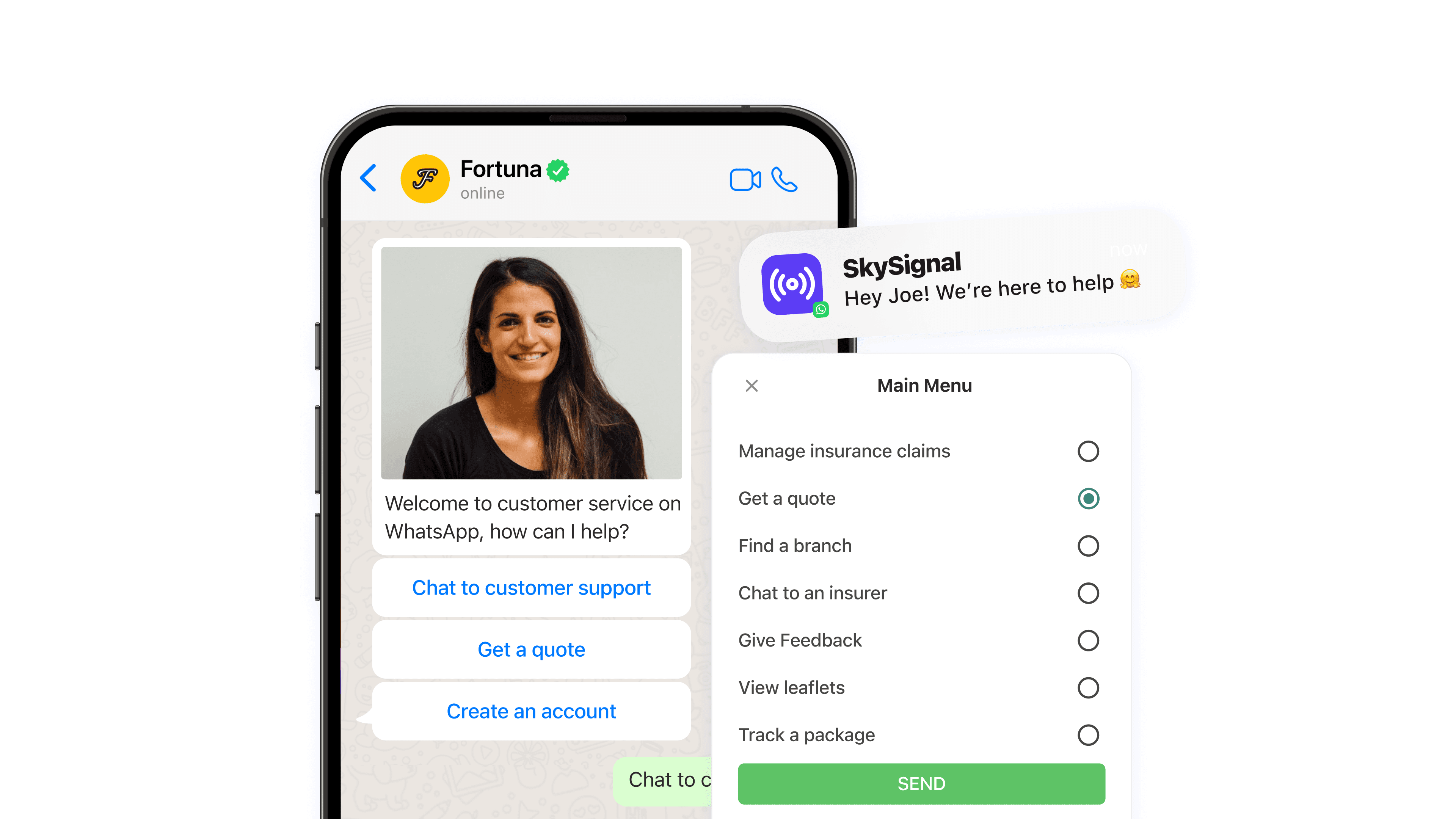

Good customer service keeps customers and builds brand loyalty. So much so that Hubspot reports that 93% of customers are likely to buy again from companies that offer excellent customer service.
In this blog, we walk you through WhatsApp Business. You will see how to use it for faster, smoother customer service with live chat, user flows, chatbots and web widgets.
Get started with WhatsApp Business
There are two types of WhatsApp solutions that businesses can use.
Knowing the types is only the first step. To get the most from WhatsApp for customer support, you need to go through a few more steps. These include:
Submitting your WhatsApp Business application
Setting up your first chatbot
Marketing your WhatsApp Business solution
We cover all these steps in detail in our complete guide to getting started with WhatsApp. It explains the differences between the two types of WhatsApp accounts. It also shows how to set up your account and use it for faster customer service.
Benefits of WhatsApp for customer support
WhatsApp Business gives you a direct, instant line to your customers. Here are three benefits of using WhatsApp for customer support.
1) Real-time, immediate assistance
66% of customers expect a reply from customer service within five minutes. A further 22% expect one within 30 minutes, according to a study by HubSpot. A logistics company can use live chat on WhatsApp to keep customers up to date with real-time delivery tracking. That cuts delivery queries and lifts customer satisfaction.
2) Improved personalisation
WhatsApp's messaging features let you personalise each chat, with tailored replies and help. In insurance, that could mean offering specific cover options and advice based on each customer's needs. That drives sales and customer loyalty.
3) Faster query resolution
With chatbots and automation on WhatsApp, you can handle a high volume of enquiries with ease. A retail store can automate replies to common questions, such as product availability or shipping details. That eases the load on customer service agents, so they can focus on other tasks.
Using the right customer service software
Since switching to Cue, insurance brands like Affinity Health have cut customer service costs by 73%. Here is how solutions powered by Cue help you deliver faster, smoother and more efficient customer service on WhatsApp.
WhatsApp live chat: Real-time support
Live chat lets you engage customers at once, in real time, and solve their queries and issues faster. It might be a product question, a problem to fix or on-the-spot help. Either way, live chat improves your ability to connect with customers in the moment.
Hair Kingdom chose Cue to power their WhatsApp Business and live chat solution. The result was a 38% rise in customer engagement.
How your business can use live chat
Live chat for retail stores: Help customers with product recommendations, sizing questions and order tracking.
Live chat for car dealerships: Give real-time support to car owners who need maintenance advice or want to book a service.
Live chat for logistics companies: Offer instant help with tracking shipments or delivery concerns.
Flows: guided conversations
Flows bring structure to customer chats. They let you design guided customer journeys, so queries go to the right teams or chatbots. These structured conversations cut the time it takes to resolve customer enquiries.
A flow is triggered by a message from a customer. You build it on the Cue platform. It guides customers through set journeys on WhatsApp, automates processes and delivers the right information quickly.
How your business can use flows
Flow user journeys for education providers: Build a flow to guide prospective students through course choice, applications and fee payments.
Flow user journeys for Internet service providers: Set up flows for invoice payments, support tickets and plan upgrades.
Flow user journeys for insurance businesses: Use flows for policy renewals, claims and premium payments, so these tasks are smoother for clients.
Chatbots: 24/7 assistance
Chatbots are like tireless assistants. They are available around the clock. They can answer common questions, gather basic details from customers and help with the first steps of solving an issue. Chatbots make sure that no customer query goes unanswered.
How your business can use chatbots
Chatbots for insurance: Chatbots can capture callback requests and give quick insurance quotes.
Chatbots for retailers: Retail chatbots can help customers with product recommendations, order status and returns.
Chatbots for car dealerships: These chatbots can help car owners with basic troubleshooting, booking a service or reminders about upcoming service appointments.
Web widgets: Website-based conversations
Your customers can reach your WhatsApp channel through web widgets. Placed well on your website, they let customers start a chat with you in a single click. With a WhatsApp chat widget on your site, customers can talk to you without leaving the page.
How your business can use web widgets
Web widgets for logistics businesses: While browsing your website, customers can ask about package tracking, delivery times and service coverage.
Web widgets for education providers: Prospective students on your website can quickly find details on courses, how to apply and tuition fees.
Web widgets for retail businesses: Shoppers can get real-time help with products, stock and promotions.
Make customer service extremely fast with WhatsApp
Make the most of Cue’s live chat, flow builder, chatbots and web widgets. You can build a customer service experience that beats customer expectations. You can connect with customers in real time, streamline conversations, give 24/7 support and start chats. That sets the stage for stronger customer relationships. Get in touch with Cue for a demo today.