
Last updated
Kirsten Gentle
Comparisons

Cue and Front both offer AI-powered customer service platforms with omnichannel support, but they take different approaches to automation and scalability. Front combines AI and human support with features including email, SMS, live chat, ticketing, knowledge base, and workflow automation, whilst Cue focuses on WhatsApp-first messaging with AI agents that automate over 80% of routine queries.
This comparison evaluates pricing, automation capabilities, and multichannel features to help you choose the platform that matches your business needs.
Front positions itself as a customer operations platform that coordinates support across channels with AI constantly learning from conversations, whereas Cue delivers centralised messaging for businesses prioritising WhatsApp, Messenger, and web chat.
The platform you choose affects response times, team efficiency, and customer satisfaction, particularly during peak periods when automation makes the biggest impact
Comparison table
Feature | Front | Cue |
|---|---|---|
Automation & AI | Basic automation with limited rules. AI add-ons are available at higher tiers. | AI-powered chatbots and advanced workflows efficiently handle enquiries. |
Multichannel support | Omnichannel at higher tiers. Primarily email-focused. | Unified inbox across WhatsApp, Messenger, web chat, and more. |
Integrations | Strong integrations with CRM and support tools. | Integrates with many platforms. Supports open integrations for seamless workflows. |
Analytics | Standard analytics and reporting. | Advanced analytics with chat performance, response times, and more. |
Ticketing | Robust ticketing system for email and chat. | Centralised dashboard for tickets, live chat, and AI conversations. |
Pricing | £18/ per user/month. | £249/month/unlimited users. |
Scalability | Scales with business size. Higher tiers unlock more features. | Designed for rapid scaling. Handles high volumes with AI automation. |
Security | SOC 2 Type II and ISO 27001 certified. Strong data protection. | Security features included. Trusted by major brands. |
Support | Email and chat support. Priority support at higher tiers. | 24/7 support. Dedicated onboarding and training. |
Platform overview
Front Overview
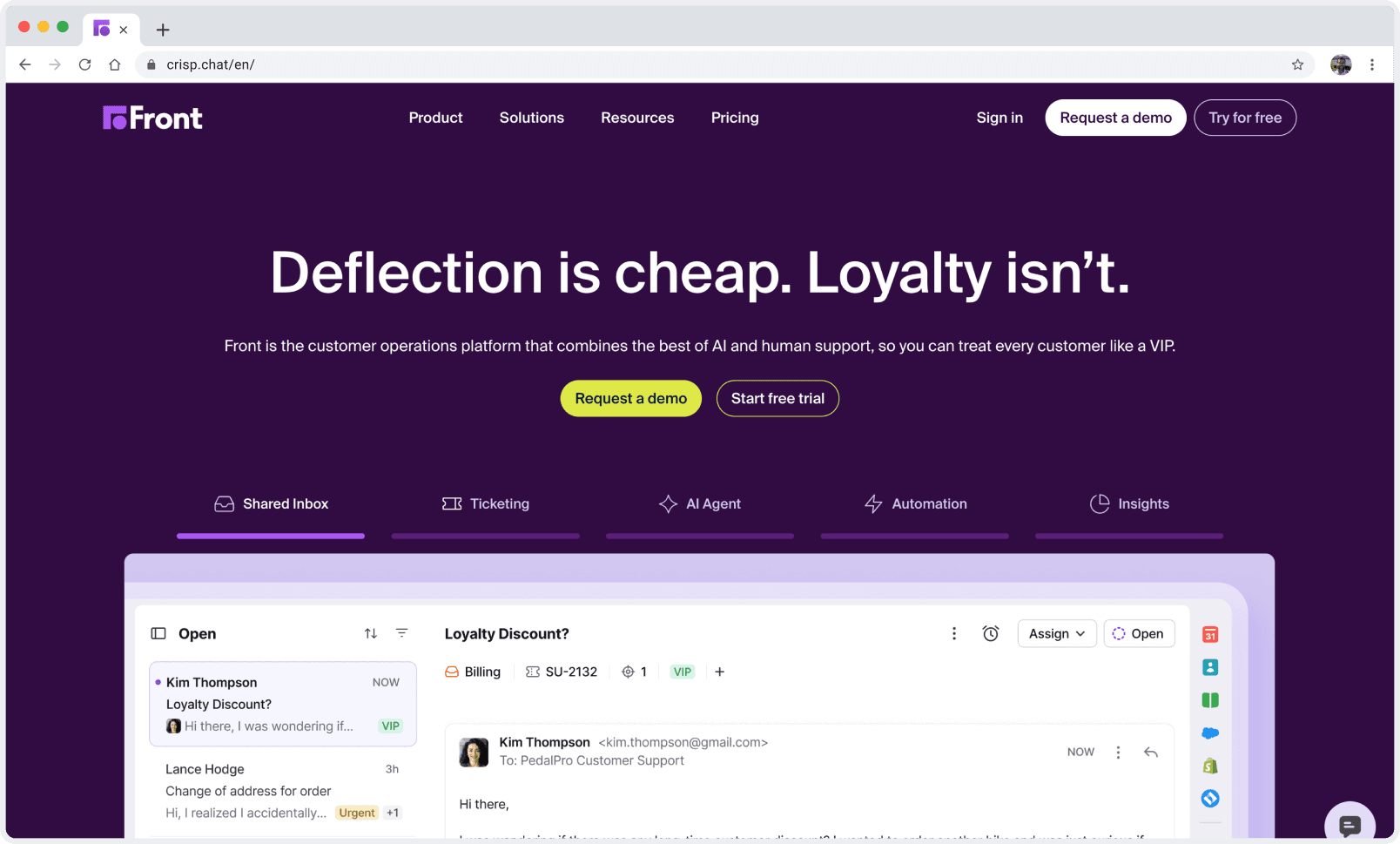
Front is a customer service platform that brings all your team’s emails, chats, and messages into one shared inbox. You can assign conversations, leave comments for colleagues, and track every customer interaction. Front feels familiar if you’ve used email-based systems before. It puts a strong focus on email, but you can also connect other channels like SMS or chat with higher-tier plans.
You get a ticketing system that helps you manage support requests. Front lets you automate simple tasks, such as routing messages or sending canned replies. You can integrate with popular tools like CRMs and project management apps. Analytics in Front show you how quickly your team responds and how many tickets you resolve.

Cue Overview
Cue takes a different approach. You get an AI-driven customer service platform that’s built for automation and scale. Cue’s platform lets you handle customer queries across WhatsApp, Messenger, web chat, and more. You can automate over 80% of routine questions using Cue’s AI Agents and chatbots, freeing your team to focus on complex issues.
You can use live chat to engage customers in real time. The live chat tool integrates seamlessly with AI, so customers get instant answers, and your agents can step in when needed. Broadcasts let you send personalised messages to thousands of customers on WhatsApp, helping you reach people where they’re most active.
Chatbots guide customers through personalised journeys, qualifying leads and routing them to the right team. You can track every interaction with advanced analytics, so you always know how your team is performing. The platform integrates with your existing business tools, keeping your data and workflows in sync.
Key features you’ll find in Cue:
AI-powered automation for fast, accurate responses
Multichannel support (WhatsApp, Messenger, web chat)
Live chat for real-time engagement
Broadcasts for outbound campaigns
Advanced analytics and reporting
Seamless integrations with business tools

Automation & AI
Front
When you look at automation and AI in Front, you’ll notice a focus on making your team’s work easier and faster. Front gives you tools to automate workflows, guide agents, and personalise customer interactions. These features help you respond quickly, even when support demand spikes.
Feature | Impact on efficiency |
|---|---|
Automating workflows | Faster support for customers and greater efficiency for agents. |
Guiding agents | Improved productivity and quicker issue resolution with tailored suggestions. |
Personalising interactions | Agents get customer insights to offer more relevant solutions. |
Handling high support demand | AI agents manage requests, reducing the load on your team. |
Cue
Cue takes automation and AI to the next level. You get a platform designed for businesses that want to scale fast and deliver a seamless customer experience. Cue’s AI Agents and Chatbots automate over 80% of routine queries, so your team can focus on complex, high-value conversations.
You can do the following with Cue:
Deploy AI-powered chatbots that guide customers through personalised journeys.
Utilise a live chat integrated with AI for instant answers, with agents stepping in when necessary.
Automate outbound messages with Cue Broadcasts, reaching thousands on WhatsApp in seconds.
Track every interaction with advanced analytics, so you always know how your team performs.
With Cue, Payflex resolved 82% of customer queries using Cue AI. Baroka Funerals cut service costs by 40%. Stellantis brands increased response rates by 196% and boosted NPS scores by 14%. These stories show how Cue’s automation and AI can transform your customer service, making your team more productive and your customers happier.

Ticketing
Front
You get a ticketing system that feels familiar if you’ve worked with email-based support before. Every customer message is converted into a ticket in your shared inbox. You can assign tickets to team members, add internal notes, and track progress from start to finish. This setup helps you stay organised, especially if your team handles a lot of email queries.
Front’s ticketing works well for teams that want to keep everything in one place. You can tag tickets, set priorities, and use automation rules to route messages to the right person. If you need to escalate an issue, you can do that with a click. The platform also lets you merge duplicate tickets, so you don’t waste time on the same problem twice.
Cue
Cue takes ticketing beyond the basics. You get a centralised dashboard where you can manage tickets, live chats, and AI-powered conversations—all in one place. This means you never have to switch between tools or lose track of a customer’s journey. Every interaction, whether it starts on WhatsApp, Messenger, or your website, flows into a single workspace.
With Cue, you can automate ticket creation for routine queries. The AI Agents handle common questions instantly, so your team only steps in when needed. If a customer needs extra help, you can assign the ticket to the right agent with a click. Cue’s smart routing ensures that complex issues reach the right person straight away.
You’ll love how Cue’s ticketing system keeps everything organised. You can view conversation histories, add notes, and collaborate with your team in real time. The platform supports proactive messaging, so you can follow up with customers before they even ask for help. This approach helps you resolve issues faster and keeps satisfaction high.
Here’s what you get with Cue’s ticketing:
Centralised dashboard for all channels
Automated ticket creation and smart routing
Real-time collaboration and internal notes
Proactive follow-ups and customer reminders
Full conversation history for every customer
Multichannel
Front
Front brings your customer conversations into one shared inbox. You can connect to email, SMS, and some messaging apps, but the platform still feels most at home with email. If your team spends most of its day in the inbox, you’ll find Front’s approach familiar. You can add channels like Facebook Messenger or WhatsApp, but these often require higher-tier plans or extra integrations.
Front lets you assign messages, tag conversations, and keep track of every reply. You can see all your customer interactions in one place, which helps you stay organised. However, if you want to switch between channels or manage live chat, you may need to jump between different tools or tabs. This can slow things down, especially when you’re busy.
Cue
With Cue, you can manage WhatsApp, Messenger, web chat, and live chat, all from a single dashboard. No more switching tabs or losing track of conversations. Cue brings every message together, so you always have the full context at your fingertips.
You can chat with customers on their favourite platforms. Cue’s live chat lets you respond instantly on your website, while WhatsApp and Messenger integration means you never miss a message. The platform’s AI Agents and Chatbots handle routine queries across all channels, so your team can focus on the conversations that matter most.
Here’s a quick look at how Cue’s multichannel integration stacks up:
Integration Type | Supported platforms/features |
|---|---|
Third-Party Apps | HubSpot, Shopify, Slack, Messenger, WhatsApp, Facebook, more |
Webhooks | Microsoft Teams, ServiceNow, Slack, GSpace |
Automation | No-code Chatbots, AI Agents, Workflow Management |
Multichannel Support | Personalised, Scalable, Sector-Specific |
You can scale your support without hiring more staff.
Cue ensures every customer gets a timely, relevant response.
Analytics show you which channels perform best, so you can keep improving.
Analytics & reporting
Front
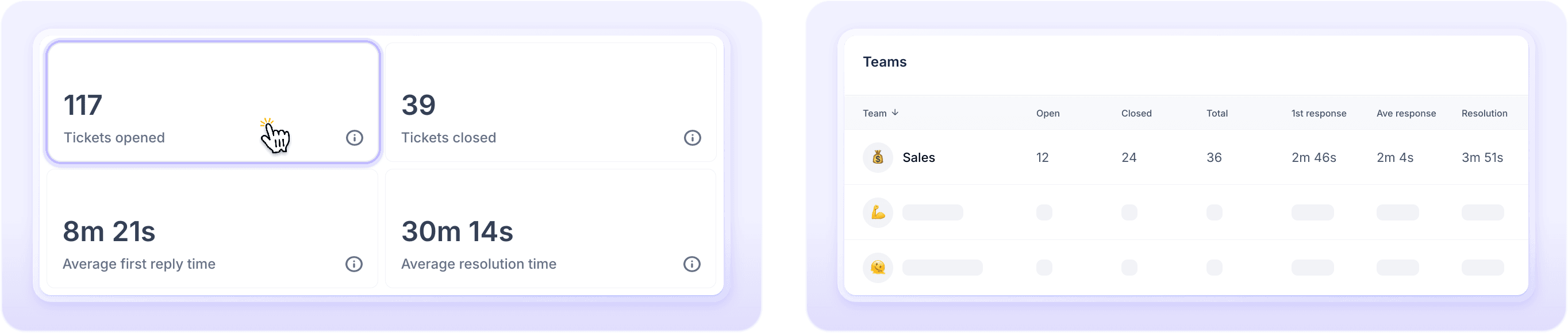
Front gives you a clear view of your team’s performance. You can track ticket volumes, response times, and resolution rates. The dashboard shows you how many messages come in, how quickly your team replies, and which agents handle the most queries. You can filter reports by channel or team member, so you always know who’s doing what.
If you want to spot trends, Front’s analytics help you see busy times and common issues. You can use this data to adjust staffing or improve your help centre. The platform lets you export reports for deeper analysis, which is handy if you want to share results with your team or management.
Cue
Cue takes analytics and reporting to another level. You get a suite of tools designed to help you understand every customer interaction, spot trends, and improve your team’s performance. Cue’s dashboard brings together data from live chat, WhatsApp, Messenger, and web chat, so you see the full picture in one place.
You can track chat performance, response times, and customer satisfaction scores. Cue’s analytics show you which channels drive the most engagement and where customers drop off. This helps you fine-tune your support and boost conversions.
Here’s a quick table showing how businesses use Cue’s analytics to improve chat performance and response times:
Benefit | Description |
|---|---|
Instant Response | Customers prefer quick replies, with 42% choosing live chat for immediate help. |
Easy Communication | Live chat makes it simple to ask questions without writing a formal email. |
Multi-tasking Friendly | Customers can browse your site while chatting, which keeps them engaged. |
Reduces Confusion | Proactive chat answers questions right away, helping visitors find what they need. |
Customisation
Front
You can customise your shared inboxes, set up rules for routing messages, and create templates for common replies. Front lets you add your company logo and colours, so your support team looks professional in every conversation.
You can build workflows that match your team’s style. For example, you might set up tags for different types of queries or use rules to assign messages to the right person. Front also allows you to create canned responses, which save time when you answer the same questions again and again.
Here are some ways you can customise Front:
Inbox rules: Route messages based on keywords or sender.
Tags and labels: Organise conversations for easy tracking.
Templates: Use pre-written replies for quick responses.
Branding: Add your logo and colours to emails.
Cue
Cue allows you to shape every part of the customer journey, from the first chat to the final follow-up. Cue lets you design chatbots that match your brand’s voice and guide customers through personalised paths. You can change the look and feel of your live chat widget so it fits perfectly with your website.
You can set up automated workflows that handle routine queries, send proactive messages, and route complex issues to the right agent. Cue’s platform lets you customise broadcasts for WhatsApp, tailoring messages with names, locations, or past purchases. This personal touch helps you connect with customers in a way that feels genuine.
Here’s what you can customise with Cue:
Chatbot flows: Build unique journeys for different customer needs.
Live chat widget: Adjust colours, greetings, and placement to match your site.
Broadcasts: Personalise messages for each segment of your audience.
Smart routing: Direct queries to the right team based on intent or channel.
Analytics dashboards: Choose the metrics that matter most to your business.
Security & compliance
Front
When you choose a customer service platform, security and compliance should sit at the top of your checklist. Front takes this seriously. You get a platform that meets industry standards and gives you peace of mind.
Certifications: Front holds SOC 2 Type II and ISO 27001 certifications. These show that Front follows strict security practices and keeps your data safe.
Data protection: Your customer data stays encrypted, both when stored and when sent. This means only authorised users can access sensitive information.
Access controls: You can set permissions for your team. Decide who can view, edit, or delete conversations. This helps you keep control over your data.
Audit logs: Front tracks every action. You can see who accessed what and when. This makes it easier to spot unusual activity.
Compliance: Front supports GDPR requirements. You can manage data requests and deletions with ease.
Cue
Cue puts security and compliance at the heart of its platform. You can trust Cue to keep your customer data safe, whether you work in retail, automotive, education, travel, or real estate.
Trusted by major brands: Leading companies rely on Cue for secure customer interactions. You get a platform that meets the needs of regulated industries.
Data encryption: Cue encrypts your data at rest and in transit. This keeps your conversations private and secure.
Role-based access: You control who can access different parts of the platform. Assign roles to your team and keep sensitive data protected.
Centralised management: Cue’s dashboard lets you monitor all activity. You can review access logs and track every interaction.
Compliance support: Cue helps you meet GDPR and other data privacy laws. You can respond to data requests and manage customer information with confidence.
Scalability
Front
When your business grows, you need a customer service platform that can keep up. Front gives you a familiar path if you want to scale your support team. You can add more users, create new shared inboxes, and set up extra channels as your needs change. The platform lets you manage higher volumes of email, chat, and SMS without losing track of conversations.
Front’s structure works well for teams that expand gradually. You can assign roles, set permissions, and organise your team by department or region. If you open new locations or add more products, you can create separate inboxes for each group. This helps you keep everything tidy as your business grows.
Cue
You get a platform built for rapid growth and high-volume support. Cue’s AI-driven automation means you can handle thousands of conversations at once, across WhatsApp, Messenger, web chat, and live chat. You don’t need to worry about hiring more agents every time your business gets busier.
With Cue, you can automate over 80% of routine queries. The AI Agents and Chatbots step in to answer common questions, so your team can focus on complex cases. This keeps your response times fast, even during peak seasons or big campaigns.
Cue’s centralised dashboard lets you manage all your channels in one place. You can add new channels or products without disrupting your workflow. The platform adapts as you grow, whether you’re expanding into new markets or launching new services.
Here’s how Cue supports your growth:
Instant scalability: Handle spikes in volume without extra staff.
Multichannel support: Add new channels as your customers’ preferences change.
Automated workflows: Free up your team for high-value tasks.
Real-world results: Brands like Payflex and Stellantis scaled their support and saw higher satisfaction scores.
Integrations
Front
Front gives you a solid set of integrations. You can connect your inbox to popular business tools like Salesforce, HubSpot, and Slack. If you use project management apps such as Asana or Trello, you can link them directly to your shared inbox. This helps you keep conversations and tasks in sync.
You can automate simple actions. For example, you might set up rules to create tasks in your CRM when a new email arrives. Front also supports webhooks, so you can push data to other systems. If you want to build custom workflows, you can use their API. This flexibility suits teams that rely on email and want to add a few extra tools.
Here’s a quick look at some of Front’s integration options:
Tool Type | Examples |
|---|---|
CRM | Salesforce, HubSpot |
Messaging | Slack, SMS |
Project Management | Asana, Trello |
Automation | Webhooks, API |
Cue
You get a platform designed for seamless workflow synchronisation across all your business tools. Cue connects with e-commerce platforms, CRMs, booking systems, and more. You can manage customer conversations from WhatsApp, Messenger, and web chat, all in one place.
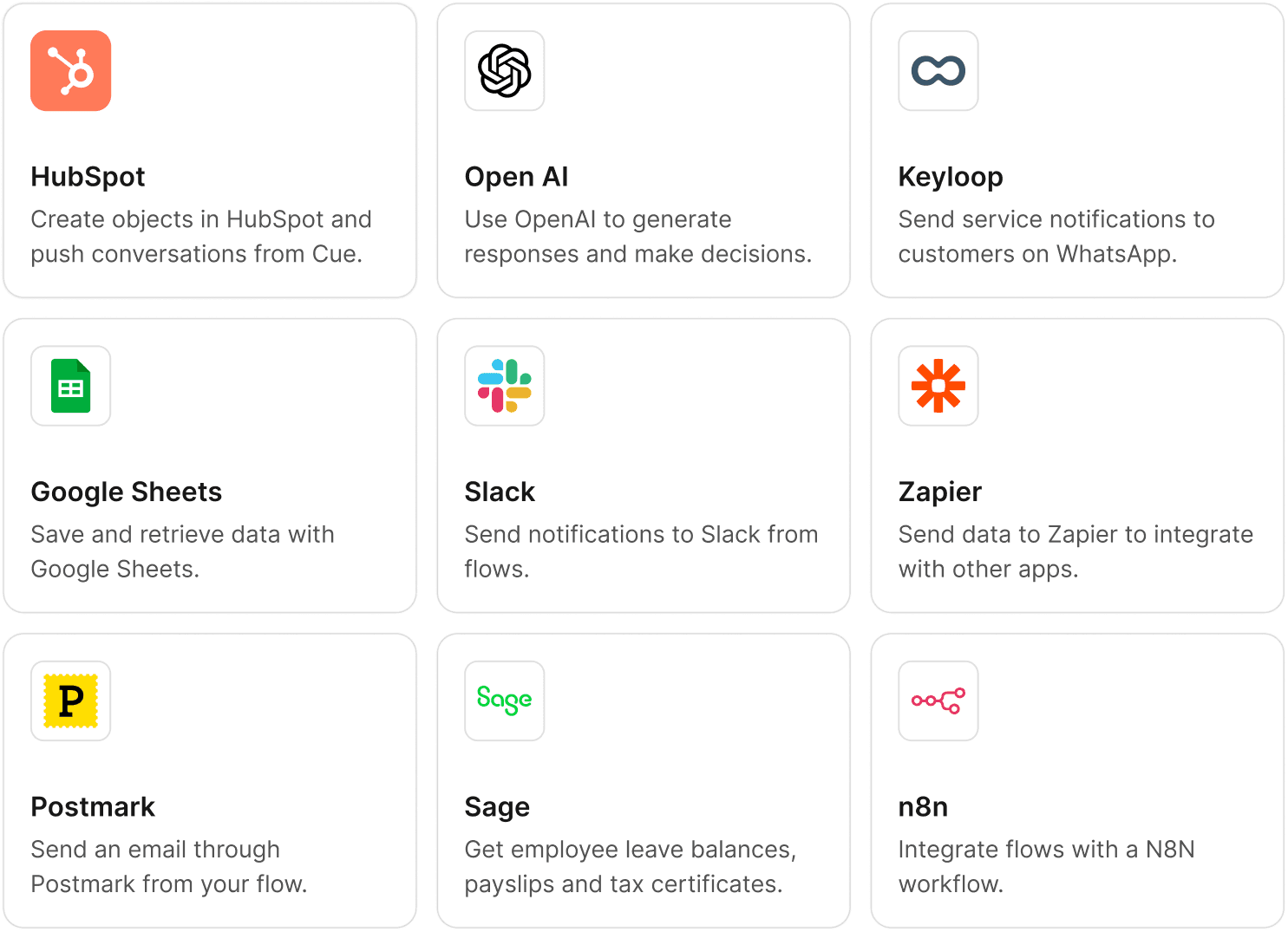
Cue’s open integrations mean you can link your existing systems without hassle. You might connect Shopify to track orders, HubSpot to manage leads, or Keyloop DMS for automotive updates. Cue’s chatbots and AI Agents pull data from these sources, giving instant answers to your customers.
You can automate complex workflows. For example, Cue can trigger a WhatsApp broadcast when a new lead enters your CRM. You can sync customer data, update records, and route queries to the right team—all without manual effort.
Here’s what you get with Cue’s integrations:
Deep connections: with CRMs, e-commerce, and booking platforms
Multichannel support: for WhatsApp, Messenger, and web chat
Real-time data sync: for instant, accurate responses
No-code automation: for building custom workflows
Centralised dashboard: for managing every interaction
Pricing comparison table
Plans for Front vs Cue
Choosing the right customer service platform often comes down to price and value. You want to know what you get for your money and how each plan supports your business as it grows.
Why choose Cue
Key Benefits
When you look for a customer service platform, you want more than just features. You want results that matter. Cue delivers on this promise by combining AI-driven automation, multichannel support, and a focus on real business outcomes. Here’s why so many businesses choose Cue:
Automate over 80% of routine queries: Cue’s AI Agents and Chatbots handle the repetitive work, so your team can focus on complex conversations.
Connect with customers everywhere: Manage WhatsApp, Messenger, web chat, and live chat from one dashboard. You never miss a message.
Reduce bounce rates: Cue’s cohesive navigation keeps users engaged, lowering drop-off and increasing session duration.
Personalise every interaction: Use broadcasts and chatbots to send tailored messages, offers, and updates that feel personal.
Centralise your workflow: Integrate with your favourite tools—CRMs, e-commerce, booking systems—so your data stays in sync.
Enhance security and compliance: Cue encrypts your data and supports GDPR, giving you peace of mind.
Drive operational efficiency: With automation and smart routing, your team works smarter, not harder.
You also get a platform that helps honest policyholders by preventing fraudulent claims, which can reduce insurance costs for everyone involved.

Customer Stories
You want proof that Cue works in the real world. Many leading brands have already transformed their customer service with Cue. Here are a few highlights:
Payflex resolved 82% of customer queries using Cue AI, freeing up their team for high-value work.
Baroka Funerals cut customer service costs by 40% after switching to Cue.
Stellantis brands saw a 196% increase in response rates and a 14% boost in NPS scores.
YourBusinessNumber reduced manual workload by over 80%, letting staff focus on growth.
Pace Car Rental and Dream Drive improved customer satisfaction and accelerated business growth with AI-powered support.
Companies that invest in Cue often report better ROI, improved retention, and a stronger brand presence.
Get a free demo
Imagine handling thousands of customer queries without breaking a sweat. Cue’s AI-driven platform lets you automate routine tasks, connect with customers on WhatsApp, Messenger, and web chat, and keep your team focused on what matters most.
You get instant answers, proactive messaging, and a centralised dashboard that makes support simple. Ready to see how Cue can transform your customer service? You don’t have to take anyone’s word for it. You can experience the difference for yourself with a free demo.
About the author

Kirsten Gentle
Performance Manager
Kirsten Gentle is fascinated by how customer service actually works once real conversations start arriving. At Cue, she works closely with service teams across WhatsApp, email and live chat, looking at what changes when a business moves from juggling channels to running them properly. She writes about the practical side: routing, response times and the handovers in between.
