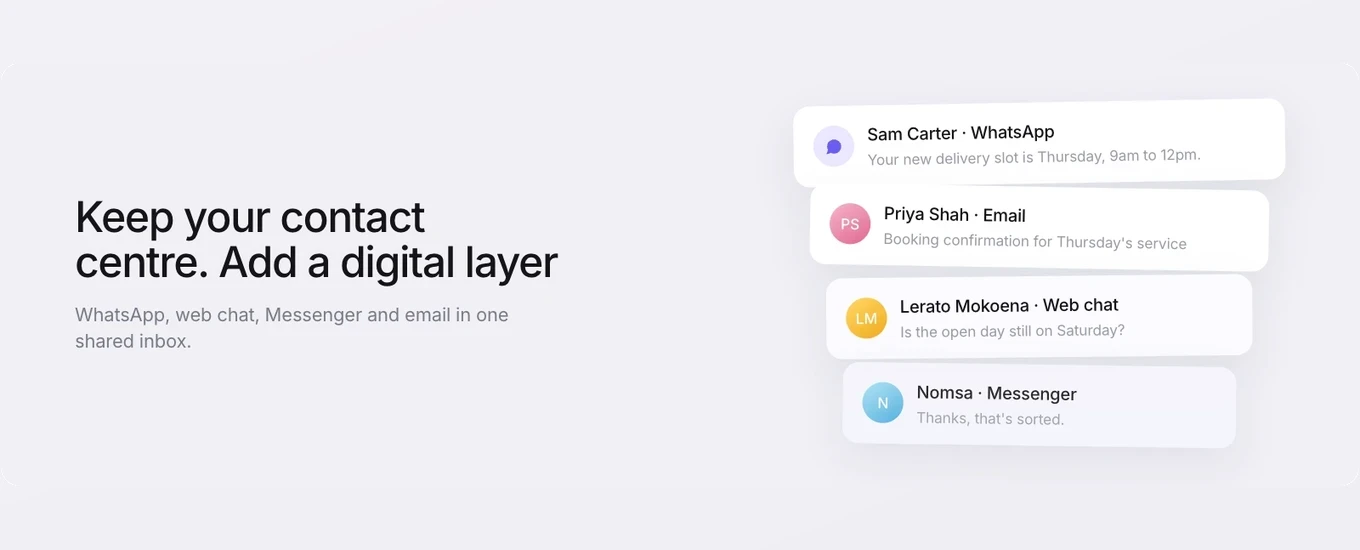
Multichannel customer service means customers can reach you on several channels, such as phone, email, WhatsApp and web chat, but each channel is run separately. Omnichannel customer service means those channels feed into one place to work, and every conversation is saved against the same customer record, so whoever picks up the next call or message can see what happened before.
On a quiet day the two look much the same, and the label on the software won’t tell you which one you’ve got. The difference shows up when a customer emails on Monday, sends a WhatsApp on Tuesday and rings on Wednesday. That’s when you find out whether anyone on your team can see all three.
What omnichannel customer service means
Omnichannel customer service is a way of running service where every channel a customer uses connects to one shared workspace and one customer record. An agent answering a call can see the WhatsApp messages and emails from the same person, and the team works from one inbox instead of one tool per channel.
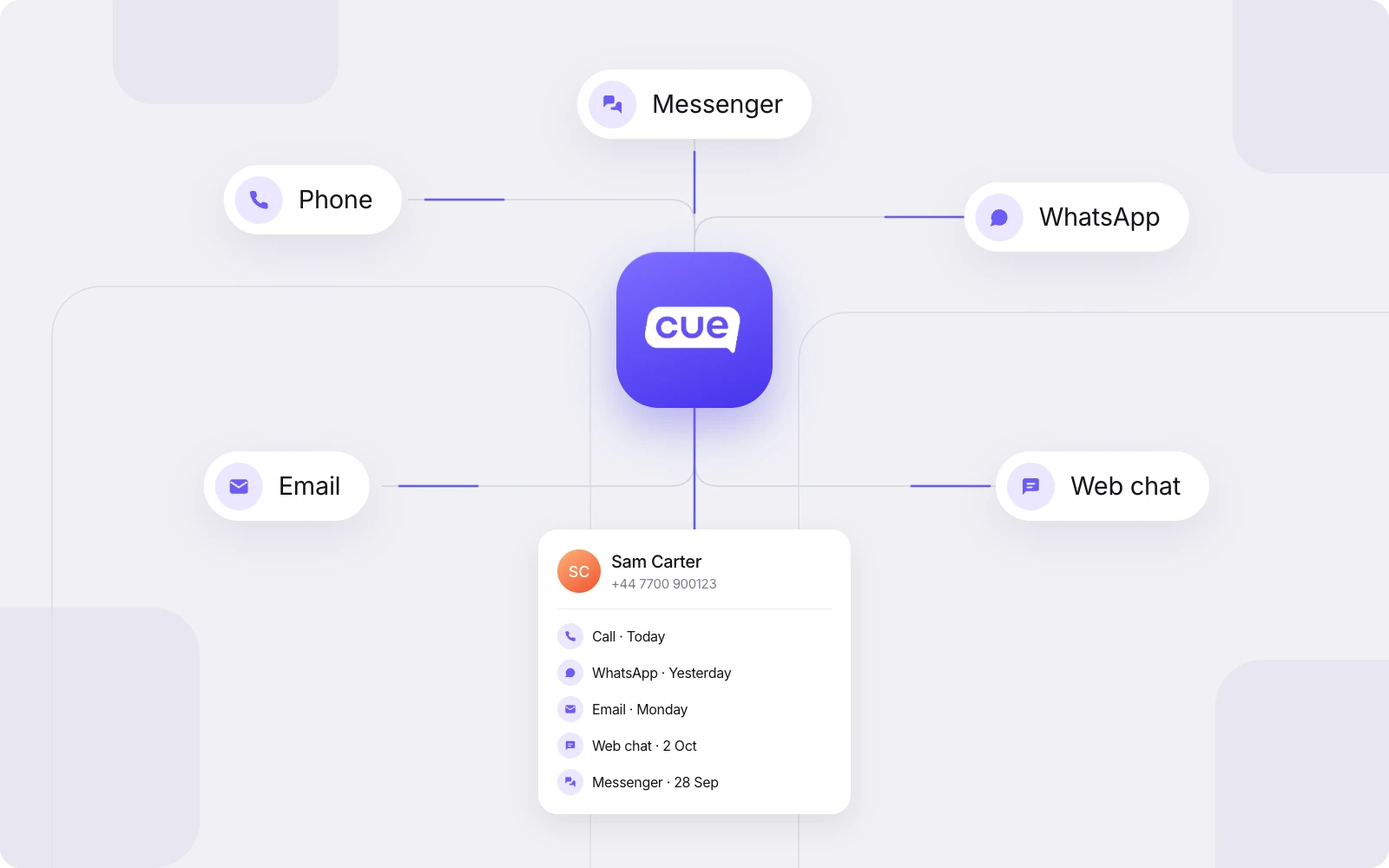
To get there you need three things in place:
One place to work. Calls, messages and emails arrive in the same inbox, not in separate apps or on someone’s work mobile.
Routing. Conversations go to the right team or person based on rules you set, whichever channel they arrive on.
A shared customer record. Each conversation is saved against the contact, so the history builds up in one place.
Take any of those away and you’re running multichannel, however many channels you offer. Adding a fifth channel to four disconnected tools gives customers another way to reach you. It also gives your team another place to check.
Omnichannel vs multichannel: the difference
The difference between omnichannel and multichannel customer service is whether your channels share one inbox and one customer record. The easiest way to see it is to follow a single enquiry through each setup.
Multichannel | Omnichannel | |
|---|---|---|
Where conversations land | Separate tools: a phone system, an email inbox, a chat tool, WhatsApp on a staff handset | One shared inbox, whatever the channel |
Who owns them | Whoever is watching that channel at the time | Assigned through routing, with a named owner |
What the agent sees | The current conversation on that channel only | The current conversation, plus earlier history from other channels on the contact record |
When the customer switches channel | The customer starts again and repeats themselves | The new conversation lands against the same contact, with the history visible |
Reporting | Separate figures from each tool, where they exist | Activity sits in one system, which makes cross-channel reporting possible |
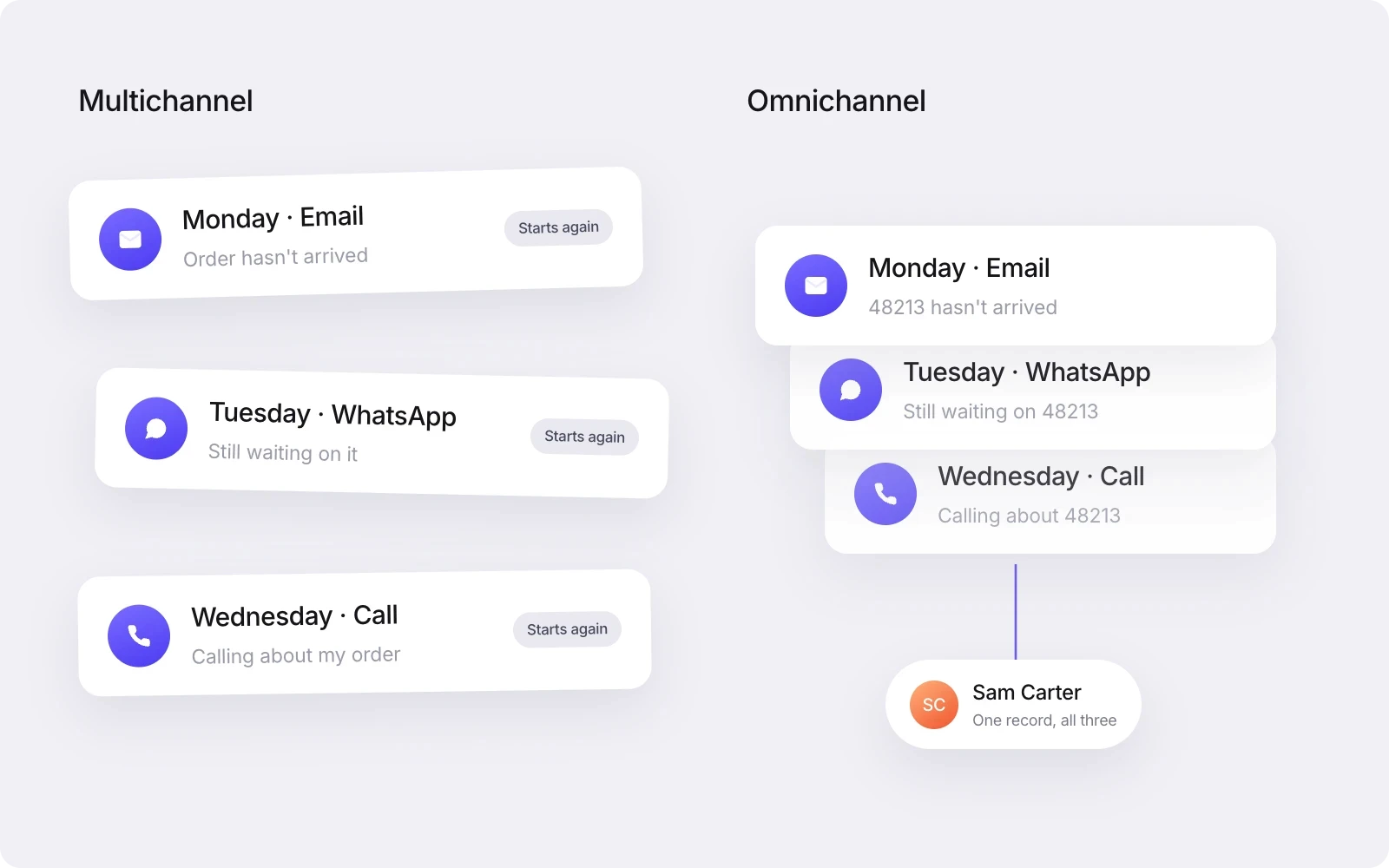
Multichannel isn’t a mistake. It’s what you end up with when channels get added one at a time as customers ask for them, and for a while it works. The cost arrives later, as volume grows, the team gets bigger and more customers move between channels mid-enquiry.
Signs you’re running multichannel
If a few of these sound familiar, your service is multichannel, whatever you call it internally:
WhatsApp conversations live on staff mobiles, and only that person can see them.
Chat is in one tool, email in another, and calls go through a phone system nobody else can see into.
Customers open with “As I said on the phone…” or “I’ve already emailed about this”.
An enquiry that started on one channel and moved to another has no clear owner.
Agents check two or three systems before they can answer a simple question.
When someone’s on leave, their conversations wait for them to come back.
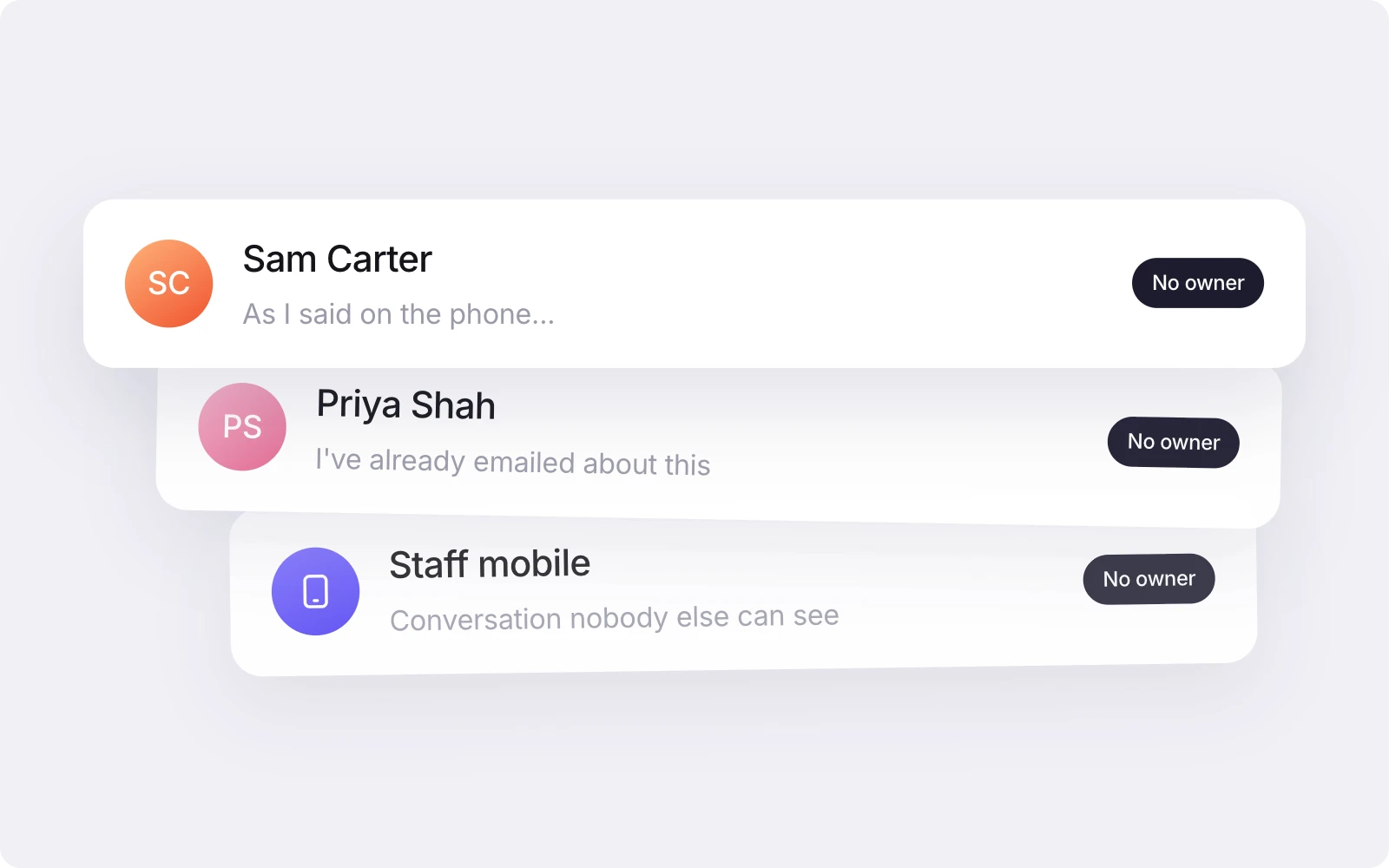
None of this means your team is doing a bad job. It means the setup is making people do work the system should be doing for them.
What changes day to day
Moving to omnichannel changes the daily work of agents, team leads and customers more than it changes your org chart. It also means treating phone as one channel among several, handled by the same team in the same inbox, rather than as a separate operation.
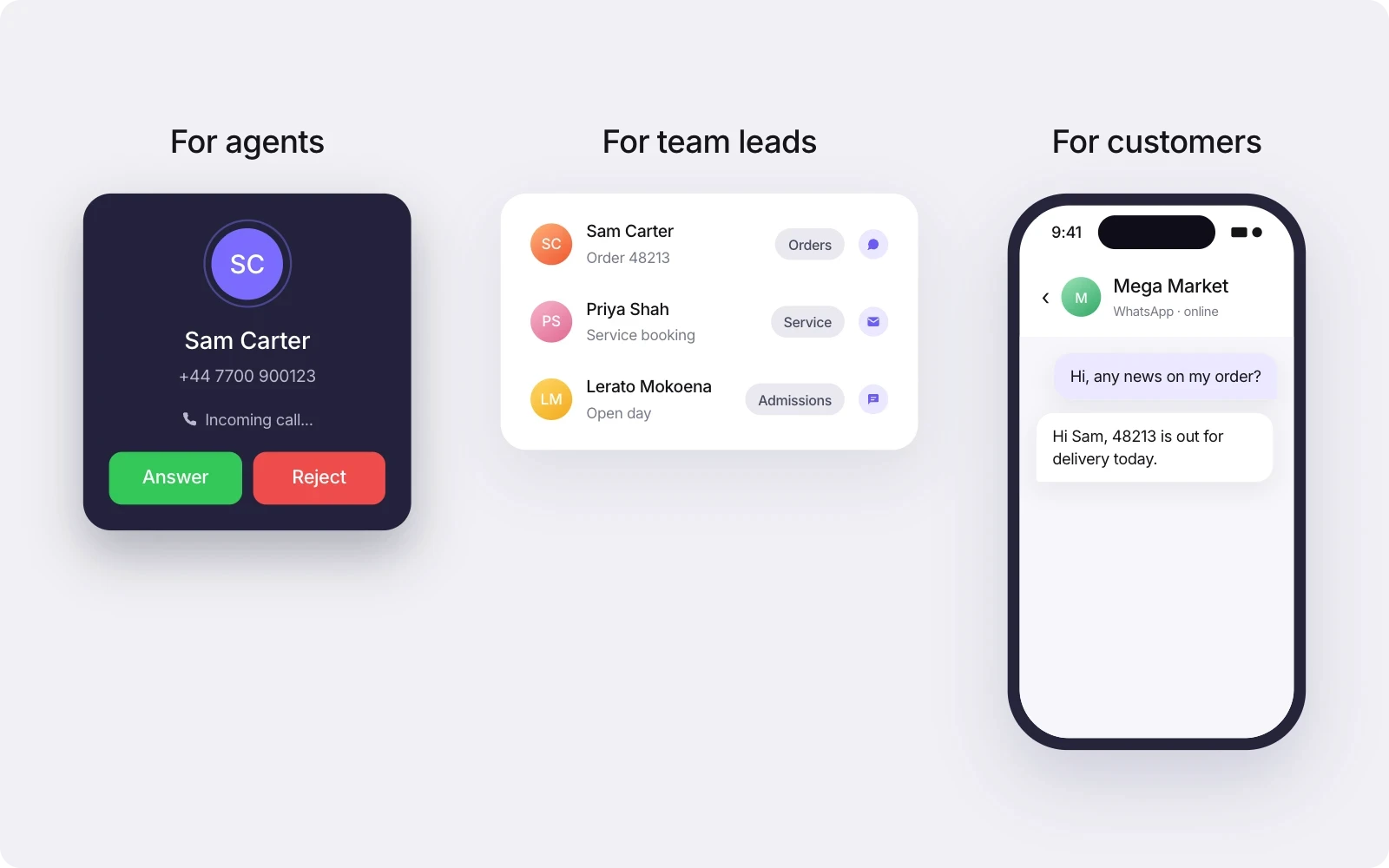
For agents
One inbox instead of several. Agents work calls, WhatsApp messages, emails and web chats from the same place. No more checking a handset, then an email client, then a chat window, then the phone system’s call log.
Context before they speak. In Cue, incoming callers are matched to their contact by phone number, so the agent can see yesterday’s WhatsApp thread before they say hello. If you’re setting this up for the first time, our guide to inbound call handling goes through greetings, menus and what happens when nobody’s free.
Handovers that keep the history. If a call needs someone else, a warm transfer lets the agent introduce the caller first. A cold transfer passes them straight on. The conversation stays on the same contact record either way.
For team leads
Ownership you can see. Every conversation has an assignee, so “who’s dealing with this?” has an answer that doesn’t involve walking round the office.
Routing instead of channel-watching. You stop assigning people to watch a channel and start setting rules for where conversations go. For phone in Cue, that’s a keypad menu with up to 12 options to send callers to the right team. Calls are then shared across available agents by round robin, least calls today or longest idle.
Cover that works. When someone’s off sick, their open conversations are sitting in the shared inbox where a colleague can pick them up.
For customers
They don’t have to repeat themselves. Someone who explained the problem on WhatsApp shouldn’t have to explain it again on the phone.
They can pick the channel that suits the moment. A quick update over WhatsApp, a call when something is urgent or hard to explain, an email when there’s paperwork. Switching between them doesn’t reset the conversation. That matters in the UK, where WhatsApp reached 90% of online adults in May 2025, with average daily reach of 74%, according to Ofcom’s Online Nation 2025 report.
Customers do move once a better option is there. When South African retailer AutoZone added WhatsApp through Cue, its email and call engagement fell 40% and total engagement rose 13% in the month that followed. That’s a WhatsApp result, not a Phone one, but it shows how quickly contact can shift between channels, and why each channel can’t be managed on its own.
One customer record, not one continuous thread
Omnichannel customer service means one customer record, not one merged conversation. Each call, WhatsApp message, email and chat is saved as its own conversation under the same contact, and an agent can see that full history whichever channel the customer comes in on.
The distinction matters because channels behave differently. A call happens in real time and then ends. A WhatsApp conversation can run over several days. An email might carry an attachment or a formal complaint. Squashing all of that into one thread would lose what makes each channel useful. What omnichannel gives you is the history in one place.
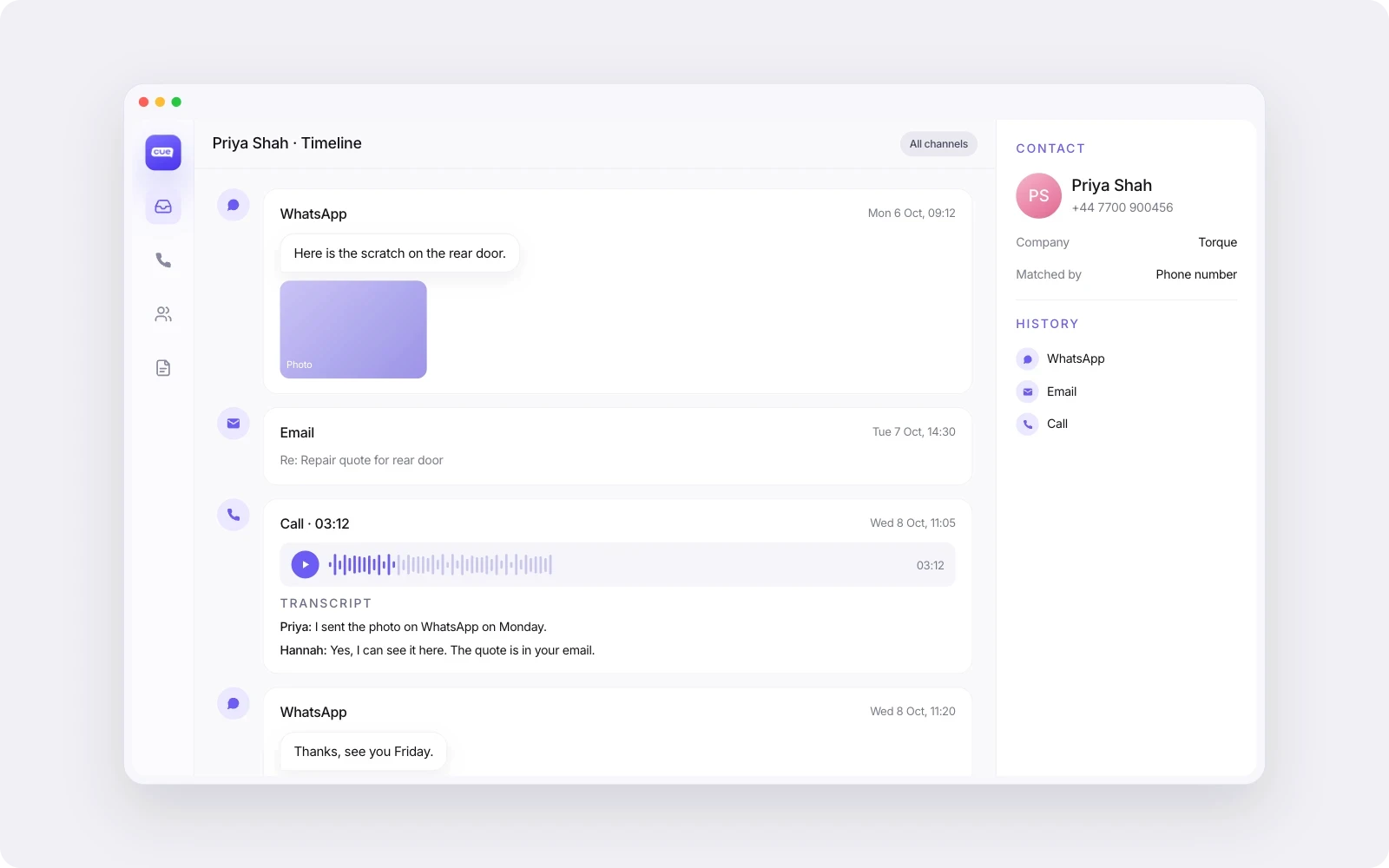
In Cue, calls can be recorded and transcribed. The recordings and transcripts sit on the contact record alongside WhatsApp, email and chat history. So an agent replying to a WhatsApp message can see what was said on last week’s call without asking the customer to go over it again.
If someone describes omnichannel as one endless conversation that follows the customer everywhere, ask a simpler question instead: can the next person who speaks to this customer see what happened before, on every channel? That’s the test that counts.
When multichannel is enough
Multichannel is enough when customers rarely switch channel and a small team can see everything without a shared record. You probably don’t need to change anything yet if:
you’re one small team in one room, and the person who took the call sits next to the person reading the email
one channel carries almost all your conversations and the others are used occasionally
enquiries are one-offs, such as a single booking with no follow-up, so there’s little history to lose
volumes are low enough that anyone can check every channel in a few minutes
If that’s you, put the effort into response times and clear ownership first. The case for omnichannel gets stronger as you add people, sites or channels, and as customers start moving between them.
Moving from multichannel to omnichannel
The practical route from multichannel to omnichannel is to move one channel at a time into a single inbox, starting with the one that carries most of your conversations, then connect everything through the contact record.
Start with your strongest channel. Get the channel with the most volume into the shared inbox first, with teams and ownership set up properly. Get that one working well before adding more.
Bring the others in. Add WhatsApp, email, web chat, Messenger and phone to the same inbox. If WhatsApp currently lives on staff handsets, this is the step that gets those conversations somewhere the whole team can see them. For phone, you can get a new UK or South African number through Cue, or bring your existing number across. Numbers in other countries are available on request.
Use the same ownership rules everywhere. Decide which team owns which type of enquiry, then set routing so the enquiry lands there whether it arrives as a call or a message.
Join it up through the contact record. Check how each channel identifies a customer, so the call and the WhatsApp message from the same person end up against one contact rather than two.
Decide what stays where it is. Not everything has to move at once. If you run a contact centre on an established phone system, you may want to keep it and add a digital service layer alongside your contact centre instead.
If you’re comparing platforms for this, our guide to choosing an omnichannel customer service platform covers what to test before you commit.
See how it fits together
Cue brings WhatsApp, phone, email, web chat and Messenger into one inbox, with every conversation saved against the contact. Have a look at how our customer service software fits together, read more about Cue Phone, or book a demo to talk through your own channels and team.