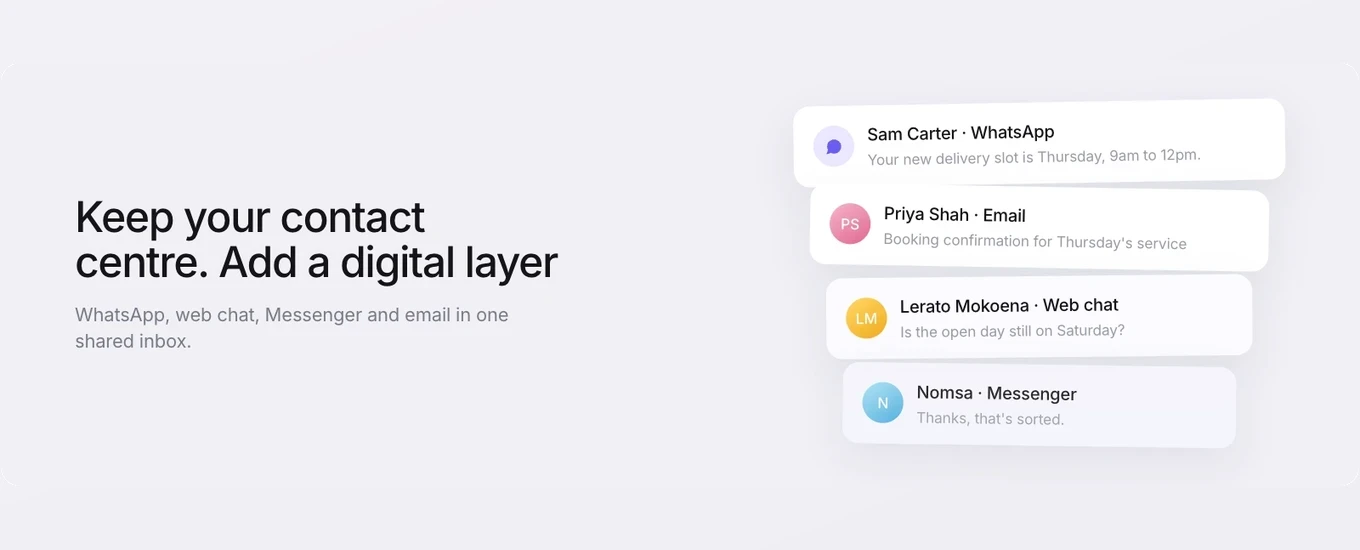
Inbound call handling is everything that happens between a customer ringing your number and their issue being dealt with: who answers, how that person is chosen, and what they know when they pick up.
When it works, the caller speaks to someone who can help and doesn’t have to start from scratch. When it doesn’t, you get the familiar pattern. Calls bounce between teams. Customers repeat their order number and the story behind it. Some give up before anyone answers.
This guide follows a call from the greeting to the transfer, with the decisions your team has to make at each stage.
What inbound call handling covers
Inbound call handling is the process a business uses to receive, route and resolve calls that customers make to it. Outbound calling is the opposite direction: your team dials out for callbacks, follow-ups or sales. The two often share people and numbers, but they need different set-ups.
An inbound call passes through four stages:
Greet. The caller hears who they’ve reached and what happens next.
Route. The call goes to the team that deals with that kind of query.
Answer. Someone in that team picks up, chosen by a distribution rule rather than whoever happens to grab the phone.
Resolve or transfer. The agent deals with it, or hands the call on with enough context that the next person doesn’t start again.
One call, start to finish
Here’s what that looks like for a single customer. Sam rings a retailer about a delivery that hasn’t arrived.
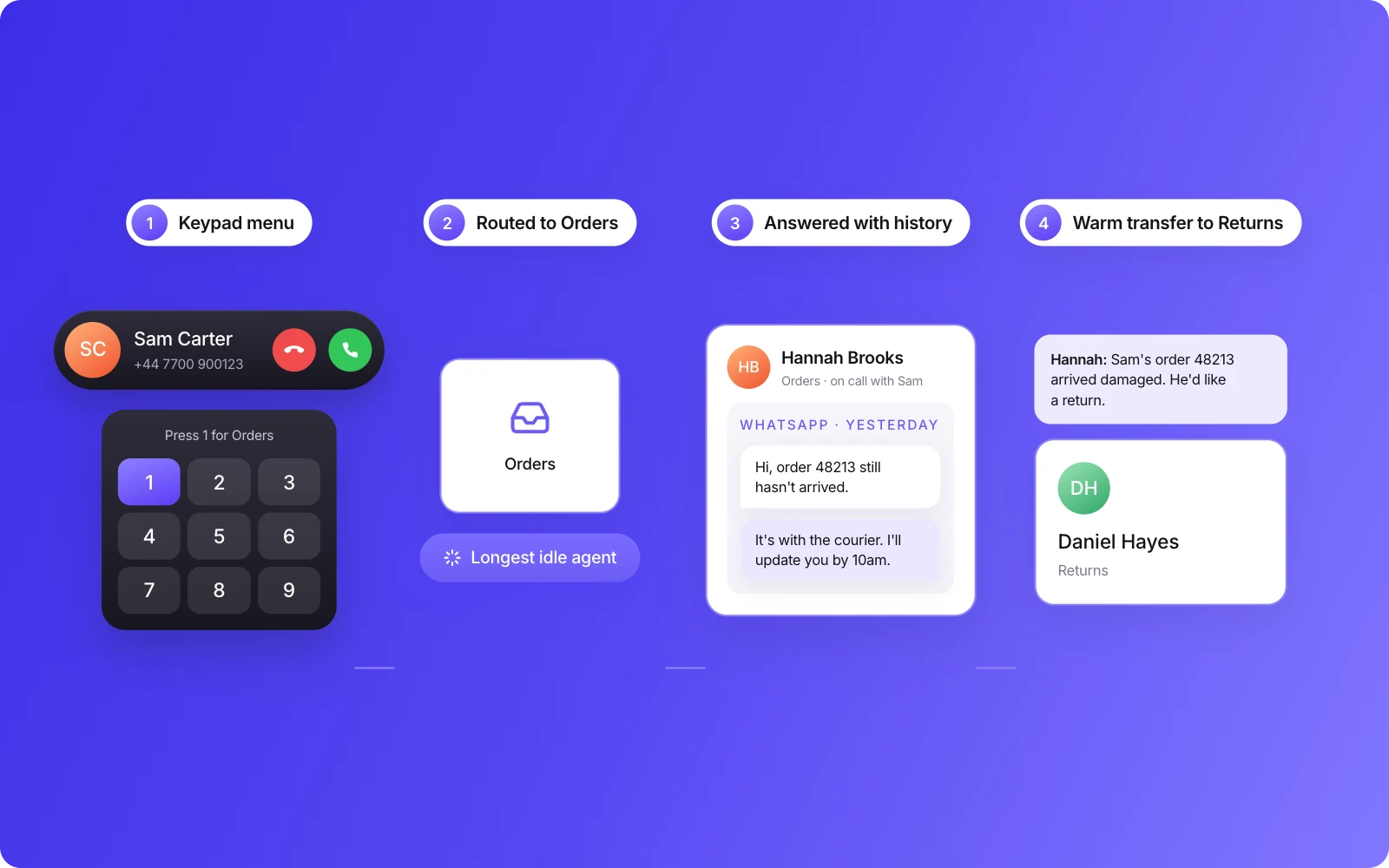
A short spoken greeting plays, followed by a keypad menu. Sam presses 1 for orders and deliveries.
The call joins the orders team’s queue.
The team’s distribution rule picks the agent who has been without a call for longest, and her phone rings.
Sam’s number is already on his contact record, so the agent sees his details and yesterday’s WhatsApp conversation about the same order before she says hello.
She puts Sam on hold to check with the warehouse, then makes a warm transfer to a colleague in returns, who can see the same record.
The call is recorded and transcribed, and both sit on Sam’s record next to his WhatsApp messages.
Sam explained his problem once. Everything else in this guide is about making that the normal outcome.
Why calls go wrong even when someone answers
An answered call isn’t the same as a handled one. A lot can still go wrong after pickup.
The call lands in the wrong team. A vague menu, or no menu at all, means the first person to answer may not be the person who can help. Every misrouted call becomes at least two conversations.
The agent has no context. If the phone system doesn’t know who’s calling, the agent opens with “Can I take your name and postcode?” and then searches for the account while the customer waits.
Transfers are cold by default. The caller gets passed on with nothing attached, and the next agent asks the same questions again.
The phone sits apart from everything else. This is the one that’s grown as customers use more channels. Someone who sent a WhatsApp message this morning, or emailed last week, calls to chase it. If the call is handled in a separate system, the agent can’t see any of that. The customer has to retell the whole thing, and often gets a different answer from the one they had in writing. These can be the calls that matter most, because customers still pick up the phone when something is urgent or complicated.
The fixes for these sit in routing, distribution, transfers and what the agent sees on screen. The sections below take them in order.
Routing: getting the caller to the right team
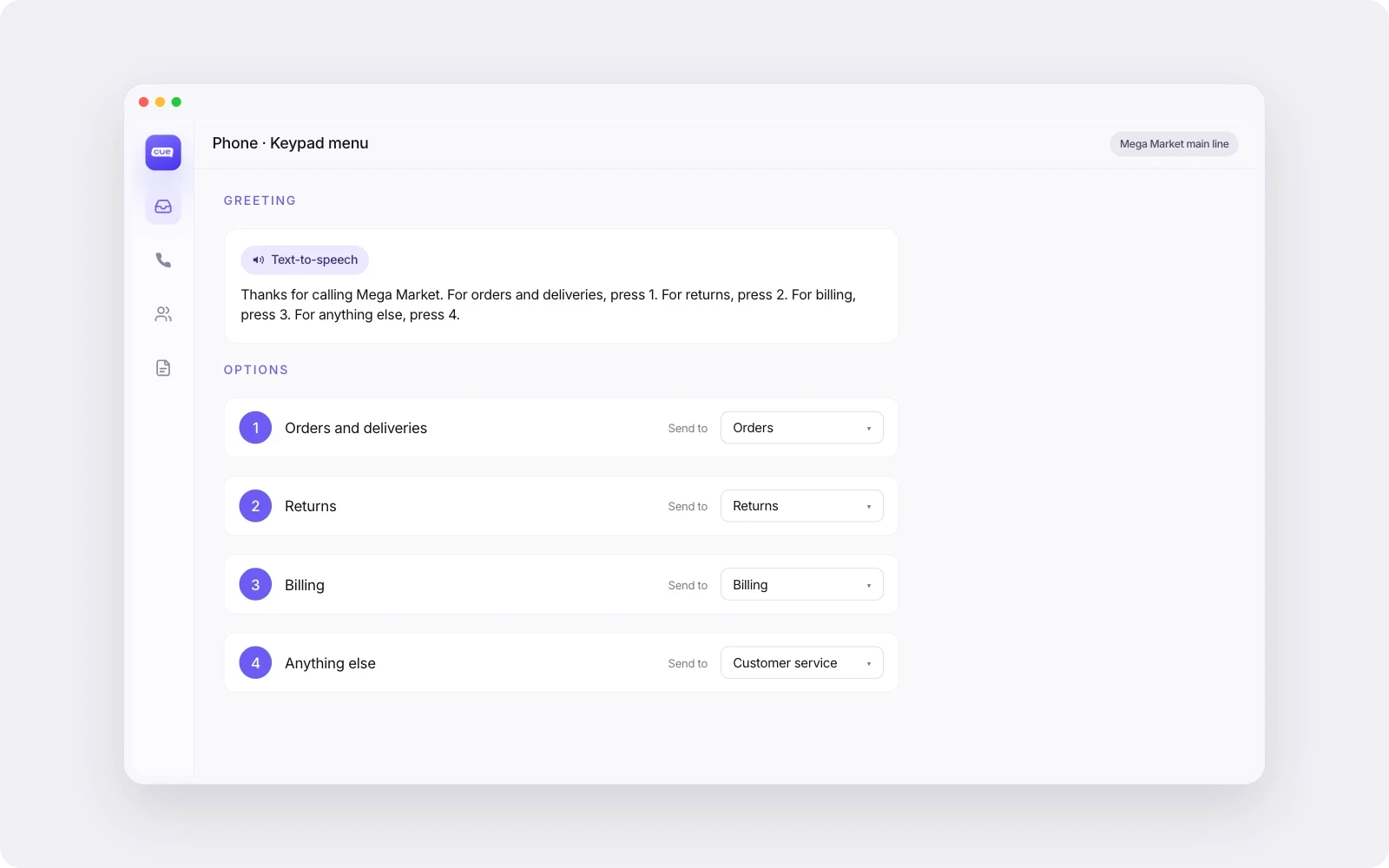
Call routing decides which team or queue a call goes to. For a service team, the practical way to do it is a greeting followed by a short keypad menu, so callers choose the reason for their call before anyone picks up.
What’s the difference between an IVR and call routing?
An IVR (interactive voice response) is the part the caller interacts with: the recorded greeting and the “press 1 for…” menu. Call routing is the logic behind it that sends the call to a team based on what the caller chose. The IVR collects the answer. Routing acts on it.
In Cue Phone, the greeting is generated from text you write, and the keypad menu can have up to 12 options. Keypad menus are available on every plan. Each option sends the caller to a team. If you run several locations, each site can have its own number, or one number can route callers to the right site through the menu. Our guide to multi-site call handling covers that set-up in more detail.
Designing a keypad menu customers will finish
Twelve options is a ceiling, not a target. A few principles help callers get through the menu without giving up:
Put the most common reasons first. Look at what people actually call about. If half your calls are about orders, that’s option 1.
Use the caller’s words, not your org chart. “Change or cancel a booking” is clearer than “Customer operations”.
Keep each option short. Callers have to hold the list in their head. Long descriptions push the first options out of memory.
Say what’s coming. “We have four options” tells the caller how long to listen.
Don’t route to a team that isn’t staffed. If an option leads to a queue nobody covers, take it out or merge it.
The same thinking applies to the routing rules you use for WhatsApp, email and chat. If calls and messages about billing reach two different groups of people, you’ve built two operations for one job.
Distribution: choosing who answers
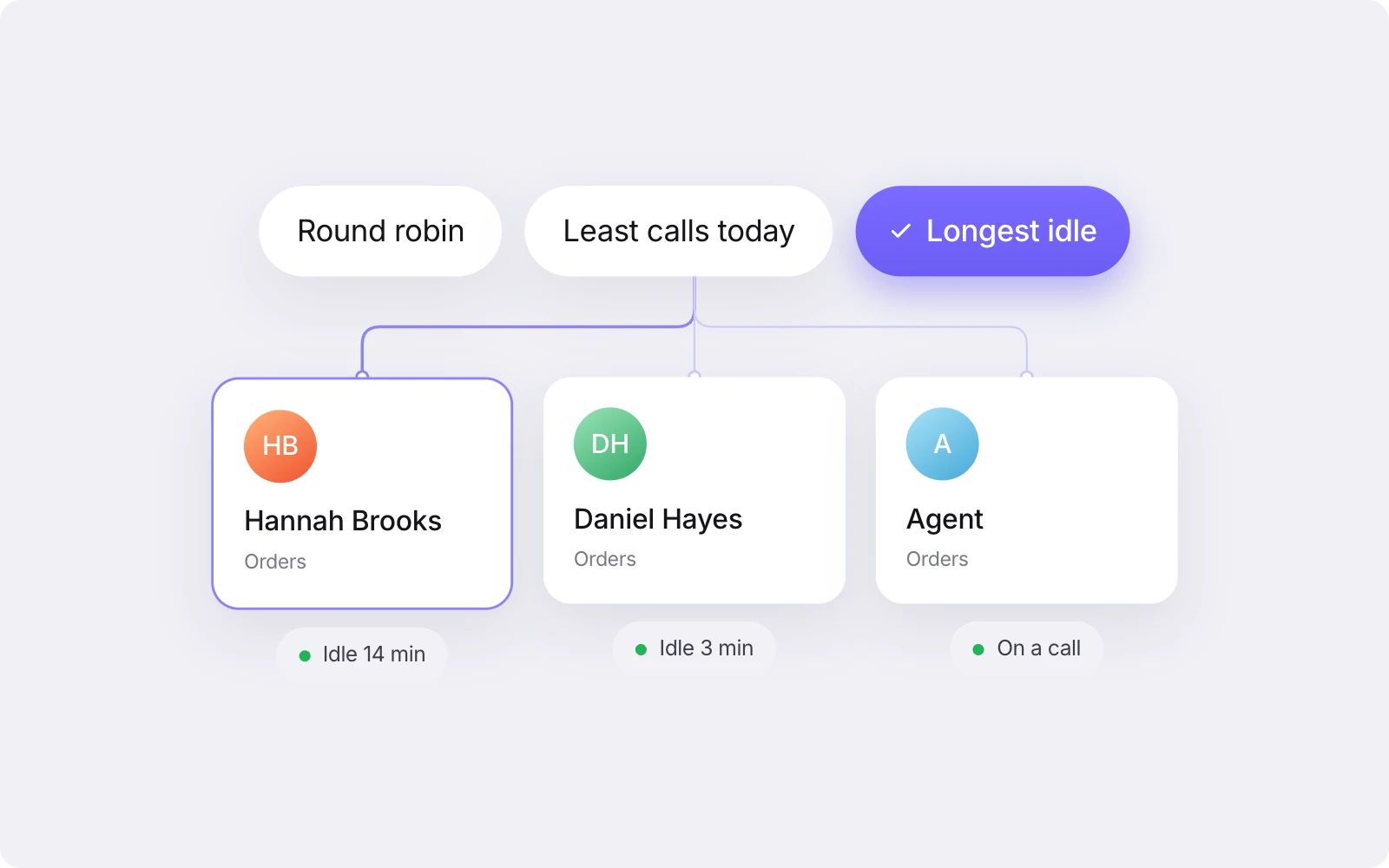
Once a call reaches a team, distribution decides which agent’s phone rings. Cue Phone offers three methods within a team, applied inside the opening hours set for that team’s location: round robin, least calls today and longest idle. Each one suits a different kind of team.
Method | How it works | When it suits a team | What to watch for |
|---|---|---|---|
Round robin | Calls go to each available agent in turn | Teams where agents have similar skills and take similar types of call | It ignores call length. An agent who has just finished three long calls still gets the next one when their turn comes round |
Least calls today | The next call goes to the available agent who has taken the fewest calls so far today | Teams that want call volume shared fairly across the day | Someone who starts a later shift begins on zero and may take a run of calls until they catch up |
Longest idle | The next call goes to the available agent who has gone longest without a call | Teams handling long or difficult calls, where agents need a gap between them | Check what your set-up counts as idle. An agent busy on other work can look free to the phone queue |
Some phone set-ups ring every agent at once and let whoever picks up first take the call. It’s simple, but it rewards whoever is quickest rather than spreading the work, and it makes it hard to see who handled what. Cue Phone doesn’t ring all agents at once. It uses the three methods above.
You can also set a maximum wait time for when no agents in a team are online, so callers aren’t left waiting in a queue nobody is there to answer.
Warm vs cold transfer
A warm transfer is when the first agent speaks to the colleague taking the call, explains the situation, and then hands the caller over. A cold transfer sends the call straight to another agent or team without that introduction.
Neither is wrong. They suit different situations.
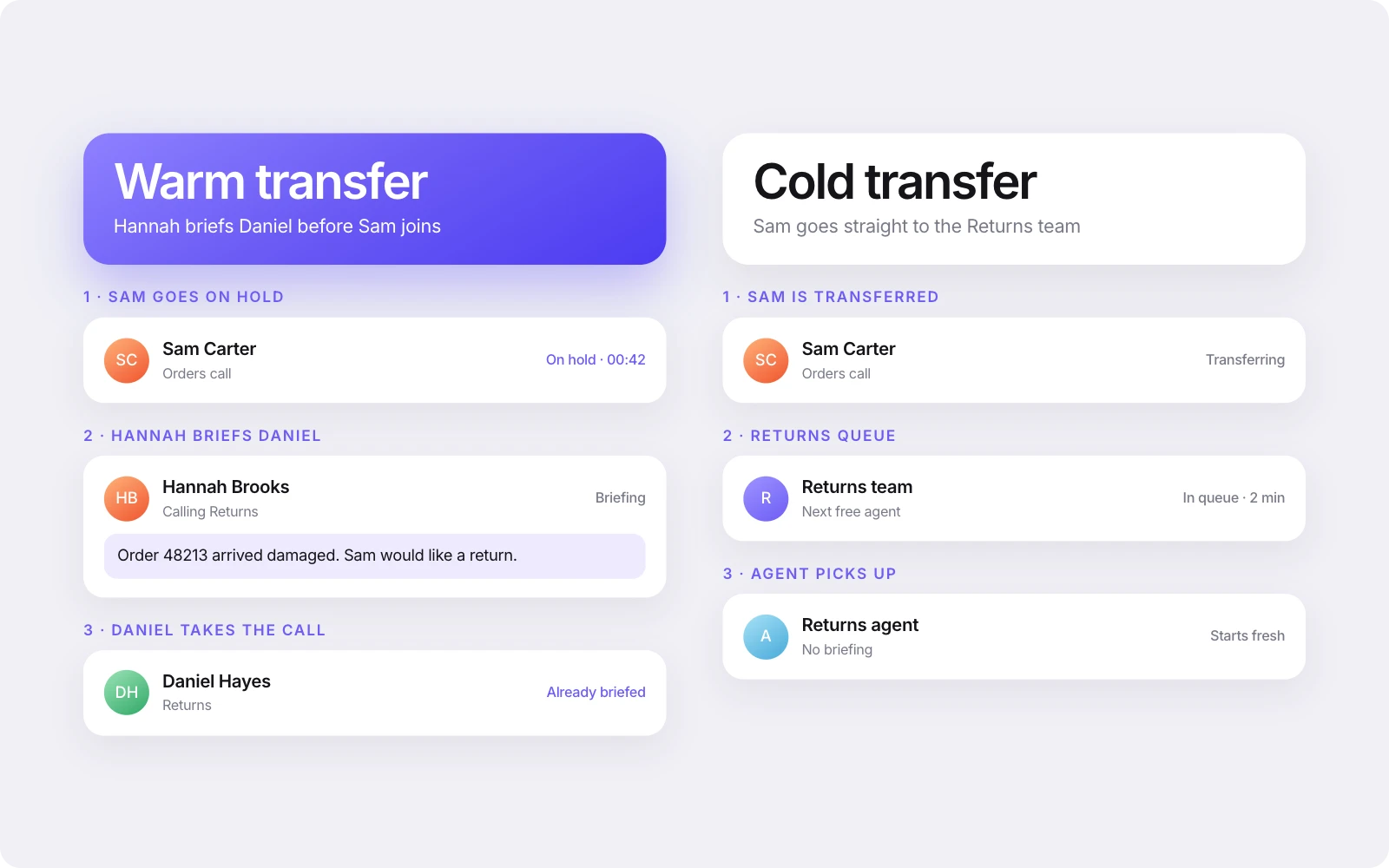
Use a warm transfer when:
the issue is complicated or has a history
the customer is upset, and hearing “I’ve explained everything to Jo” makes a difference
the receiving agent needs to agree to take it, for example a manager or a specialist
A cold transfer is fine when:
the caller simply chose the wrong menu option
the query is routine and the next team doesn’t need a briefing
the receiving agent will have the full context on screen anyway
That last point matters most. A cold transfer only feels cold to the customer when the next agent has nothing to go on. If the record and the conversation travel with the call, the receiving agent can pick up where the last one left off.
In Cue Phone, agents can answer, hold, and make a warm or cold transfer, and the conversation and contact record go with the call.
Opening hours and calls outside them
Set opening hours for each team or site rather than one set for the whole business. Your sales line, service desk and accounts team probably don’t keep the same hours, and a caller shouldn’t hear “we’re open” when the team they need has gone home. In Cue Phone, opening hours are set per location, and you can set each team up as its own location so it keeps its own hours.
Outside those hours, a message plays. Write it so the caller knows when you’re open and where they can go now that will get an answer. For many UK customers, that’s WhatsApp. Ofcom’s Online Nation 2025 report found that 74% of UK online adults used WhatsApp every day in May 2025.
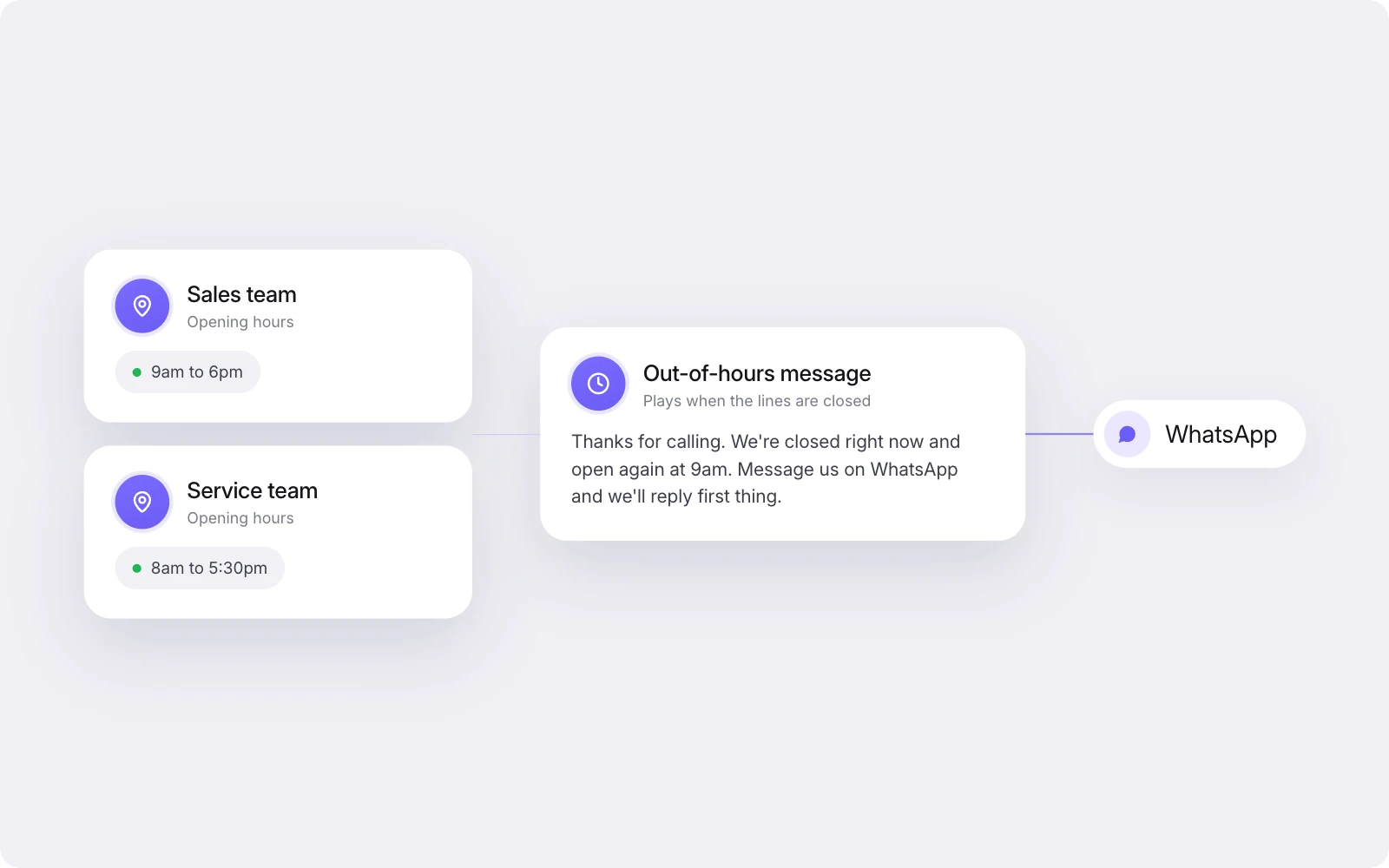
A simple out-of-hours message might say:
“Thanks for calling. Our service team is closed and we’re open again at 8am. You can message us on WhatsApp any time, and the team will pick up your message as soon as we open.”
Only point callers to a channel that someone will actually read. If messages sit unanswered until Monday, say so.
When the team is back, agents can work through the WhatsApp messages that came in overnight and call customers back from the contact record.
The WhatsApp channel in Cue sits in the same inbox as calls, so the out-of-hours route and the daytime phone line are handled by the same team.
What the agent should see when the call connects
When a call connects, the agent should already know who’s calling and what’s happened so far. That’s the difference between “How can I help?” and “Is this about the delivery you messaged us about yesterday?”
In Cue Phone, known callers are matched to their contact record by phone number. For the match to work, the number needs to be held on the contact, so it’s worth checking how numbers are stored before you go live.
Once the match is made, the agent sees:
the contact’s details
earlier conversations on WhatsApp, email and web chat, in one history
recordings and transcripts of previous calls, if calls are being recorded
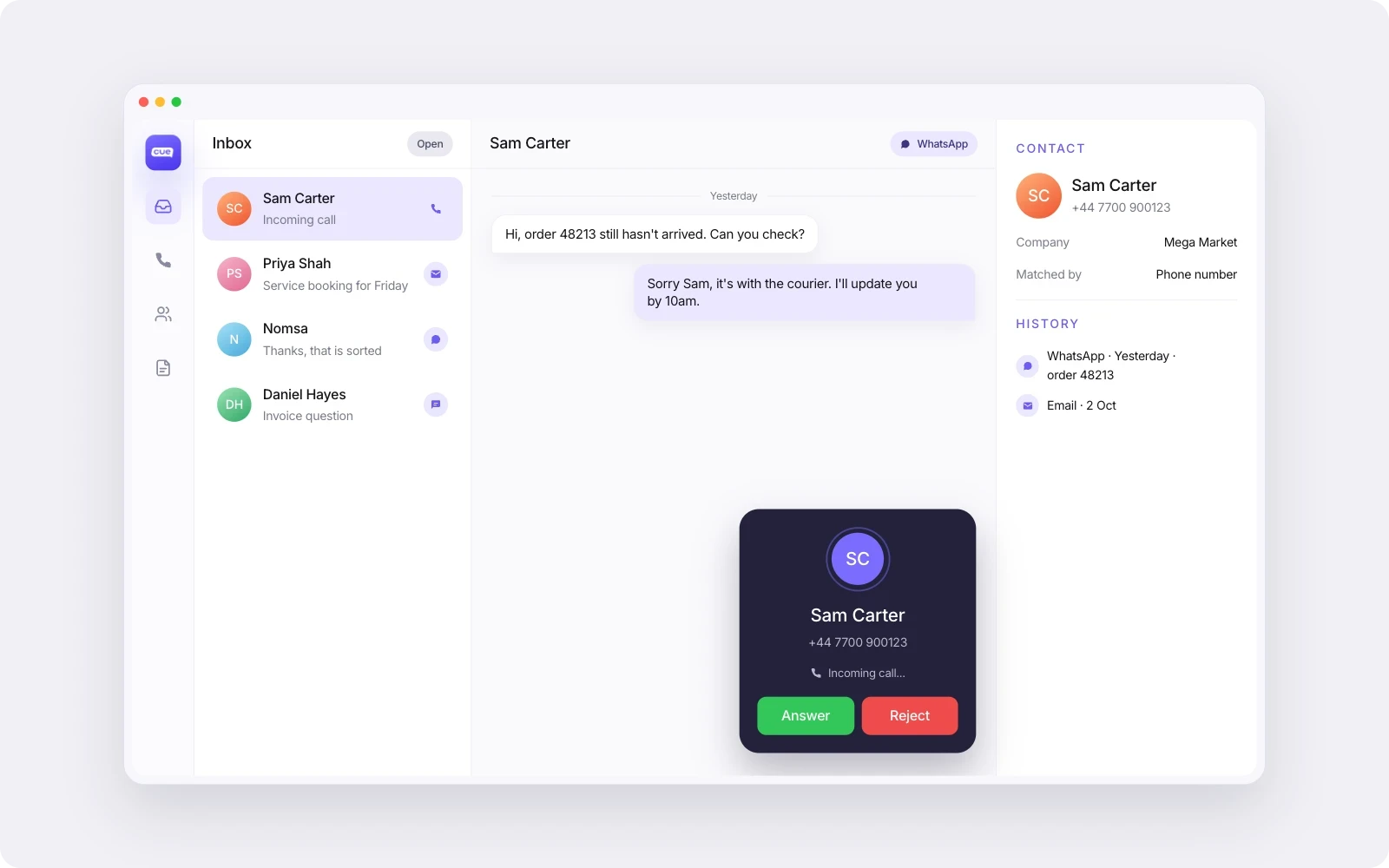
This is what stops customers repeating themselves. It also changes how you organise the team. If calls and messages land in the same place, the same people can handle both, with the same opening hours and the same customer record. You don’t need a phone team and a messaging team working the same customers from two systems. We go into that difference in omnichannel vs multichannel customer service.
If that’s the set-up you’re after, here’s how the customer service phone system in Cue works.
In-house or outsourced?
An outsourced answering service puts a third party’s staff on your phone lines. It can cover a very small team, short peaks or calls out of hours. It’s a weaker fit when the customer’s history matters: an outside agent won’t see this morning’s WhatsApp conversation or last week’s emails, and can’t make the decisions your own team can.
A middle route is to handle calls in-house during opening hours and use the out-of-hours message to point callers to a channel your own team picks up first thing.
What to look for in an inbound call handling system
If you’re comparing phone systems for a service team, check for:
A greeting, keypad menu and team queues you can change yourself, so calls reach a group rather than one person’s phone
Named distribution methods, such as round robin, least calls today or longest idle, rather than “we’ll route it”
Hold, plus warm and cold transfer, with the record going along with the call
Opening hours for each team or site, and a clear out-of-hours message
Calls and messages on one contact record, matched on the caller’s number, so agents see WhatsApp, email and chat history
On numbers: with Cue, you can get a new UK or South African number through Cue, or bring your existing number across. Numbers in other countries are available on request.
Bringing calls in with everything else
If your calls still sit apart from WhatsApp, email and chat, the fixes in this guide only go so far. Agents can route and transfer well and still not know what the customer said yesterday.
Cue Phone brings calls into the same inbox and the same customer record as your other channels. See how Cue Phone handles calls, or if you’d like to talk through your own set-up, book a demo.