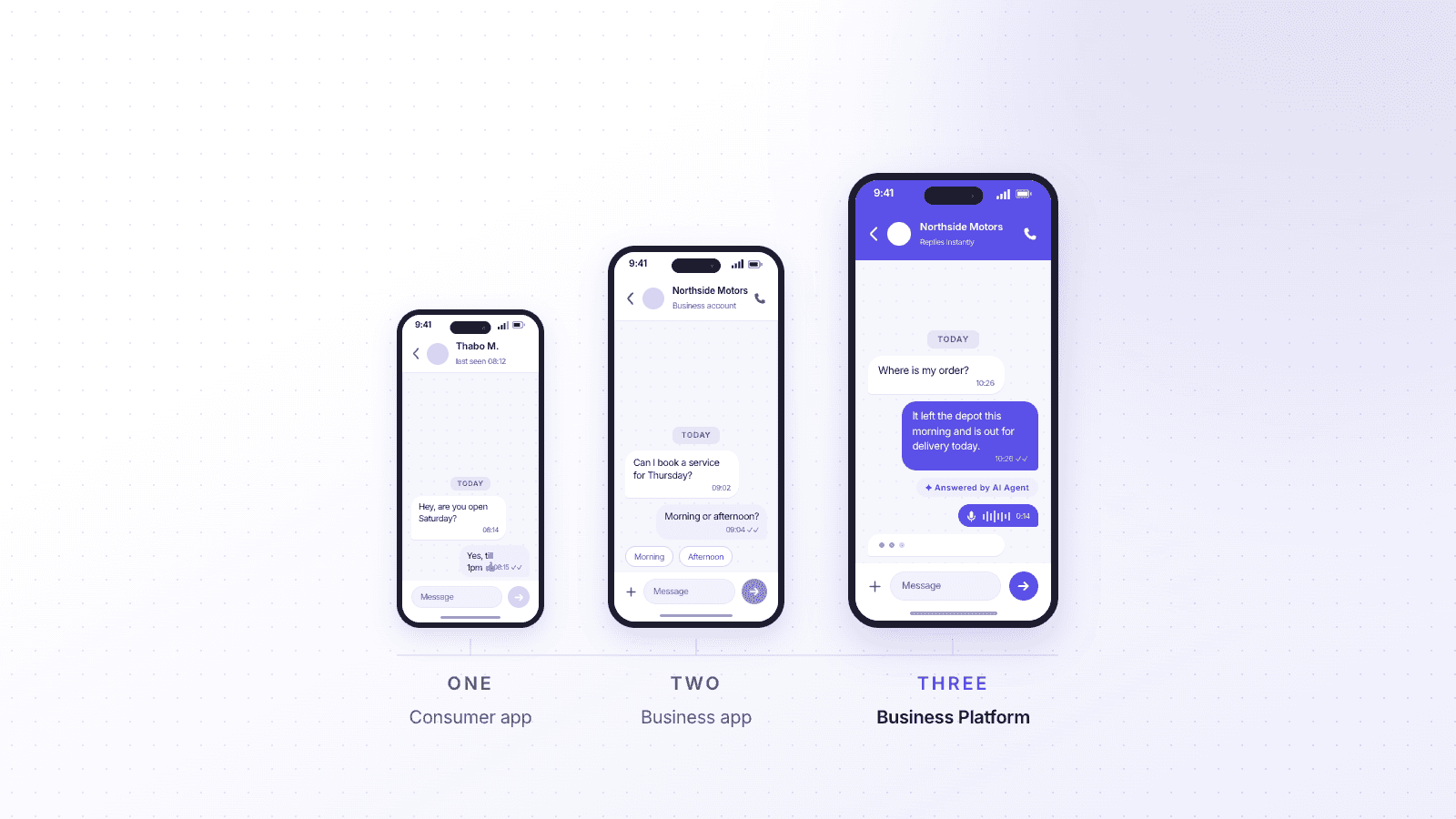

A WhatsApp Business account is a business-owned identity on WhatsApp, separate from a personal account. It comes in two forms: the free WhatsApp Business app, built for sole traders and very small teams, and the WhatsApp Business Platform, which larger teams connect to through a provider and pay for per conversation. Both display a business profile. Only the Platform supports multiple agents.
Most confusion about WhatsApp Business comes from people comparing two things when there are actually three. Sorting that out first makes everything else easier.
WhatsApp, WhatsApp Business and the WhatsApp Business Platform
WhatsApp Business app | WhatsApp Business Platform | ||
|---|---|---|---|
Built for | Personal use | Sole traders, very small teams | Teams and organisations |
Cost | Free | Free | Charged per conversation |
People on one number | One | Limited linked devices | Multiple agents at once |
Automation | None | Away messages, quick replies | Workflows, chatbots, routing |
Green tick eligible | No | No | Yes, subject to Meta approval |
How you access it | App | App | Through a provider |
The first two are apps you download. The third is not an app at all. The Platform is an interface that a provider connects to, and you work inside their software rather than inside WhatsApp. That difference explains most of what follows.
What you get with a WhatsApp Business account
Both the app and the Platform give you a business profile: a name, description, address, opening hours, website and email. Customers see this when they open the chat, which is the main thing separating a business account from a personal number with a logo on it.
Beyond the profile, the free app includes:
Labels for organising chats, such as new customer or payment pending
Quick replies for short saved responses you type often
Away messages that send automatically outside your working hours
Greeting messages for first-time contacts
A catalogue for listing products or services inside the chat
Basic statistics covering messages sent, delivered, read and received
It is a genuinely useful set of tools for one person running a business from a phone. It was designed for exactly that.
How a WhatsApp Business account works
You register with a phone number. That number cannot already be in use on a personal WhatsApp account, so most businesses either use a new number or move an existing one across, which does mean giving up its personal account.
Once registered, how you message customers depends on who started the conversation. When a customer messages you first, you have a 24-hour window to reply freely. Outside that window, you can only send a pre-approved message template. Templates are submitted to Meta for review, and they get rejected for being too promotional, poorly formatted, or too close to something already approved.
This template system is the part businesses tend to underestimate. It is not a formality. It shapes what you can say and when, and planning around it is most of the work in a serious WhatsApp setup.
Verification is separate again. The green tick is not something you buy or apply for casually, and having a business account does not get you one. Our guide on how to get the WhatsApp green tick covers what Meta actually looks for.
What a WhatsApp Business account cannot do
The free app is where most businesses start and where most eventually get stuck. Its limits are real, and they are not obvious until you hit them.
Only one person can properly manage the number. You can link a few devices, but everyone is looking at the same inbox with no sense of who is handling what. Two people replying to the same customer is common. So is nobody replying, because each assumed the other had.
There is no assignment or routing. Messages cannot be directed to a team, a person or a queue. Nothing can be marked as owned, escalated or resolved.
There is no record of who did what. If a customer disputes what they were told, there is no audit trail beyond the chat itself, and no way to see which colleague sent which message.
Reporting stops at counts. You can see how many messages were sent and read. You cannot see response times, volumes by topic, or how a conversation ended.
It does not connect to anything. No CRM, no service desk, no order system. Whatever your agent needs to know, they look up somewhere else and type back manually.
Automation is limited to timing. Away and greeting messages fire based on the clock, not on what the customer asked.
None of this makes the app bad. It makes it a tool built for one person, being used by teams.
When a business outgrows the Business app
The signals are consistent, and they are operational rather than technical:
More than one person needs to answer, and you have started coordinating verbally about who has replied
Messages are being missed at busy times, and you only find out when a customer chases
You cannot answer basic questions about how quickly your team responds
Agents are switching between WhatsApp and another system to find customer information
You need conversation history to survive someone leaving, or a phone being replaced
At that point the question stops being about WhatsApp and becomes a question about how your service team works. That is the point most businesses move to the Platform through a provider, which is the shift we cover in WhatsApp Business API vs the Business app.
If you are still setting up, our guide to getting started with WhatsApp Business covers the practical steps, and can multiple people use one WhatsApp Business number goes deeper on the shared access problem specifically.
For teams already past that point, Cue's WhatsApp customer service platform handles the routing, assignment and reporting the free app leaves out.